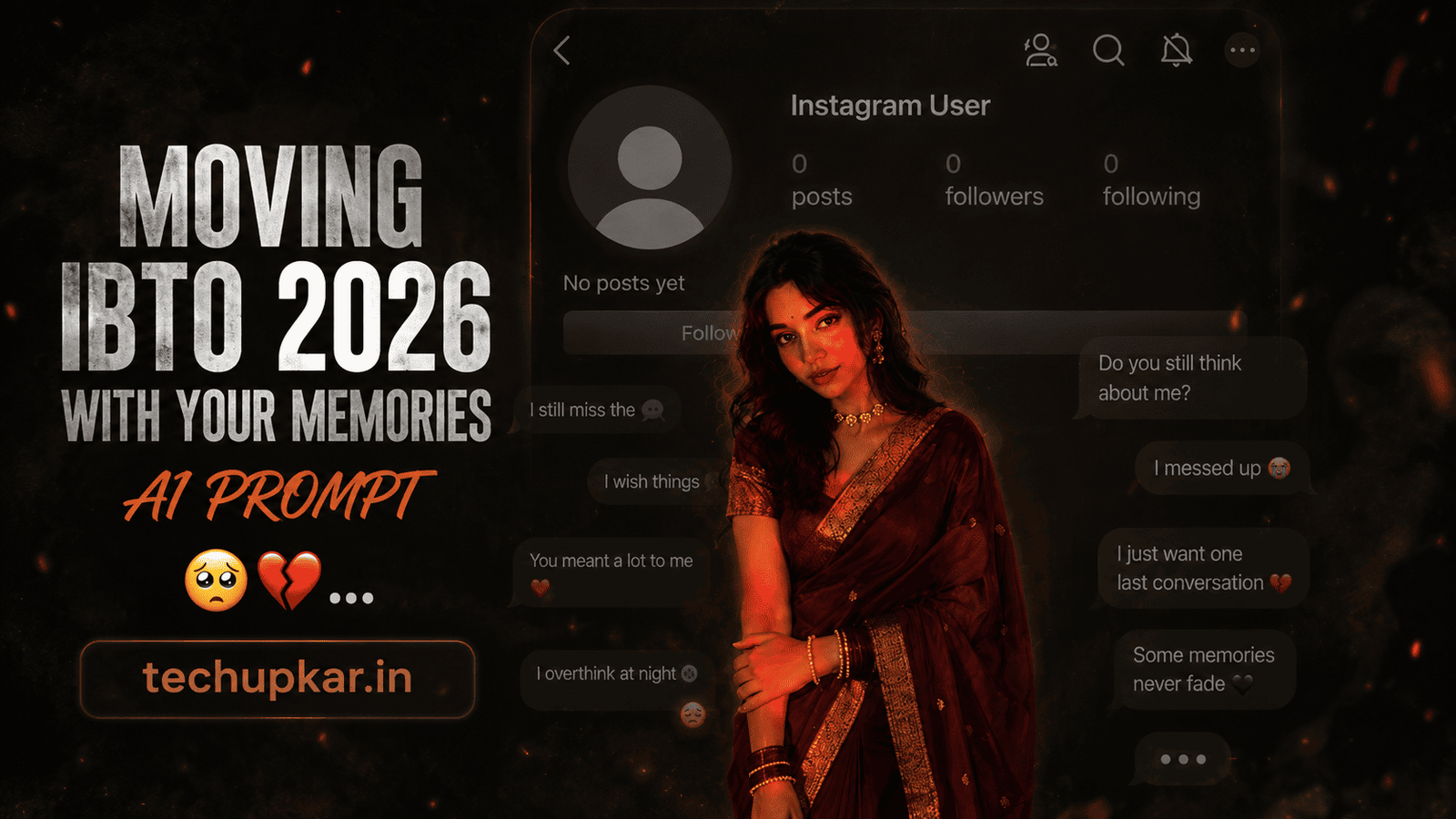
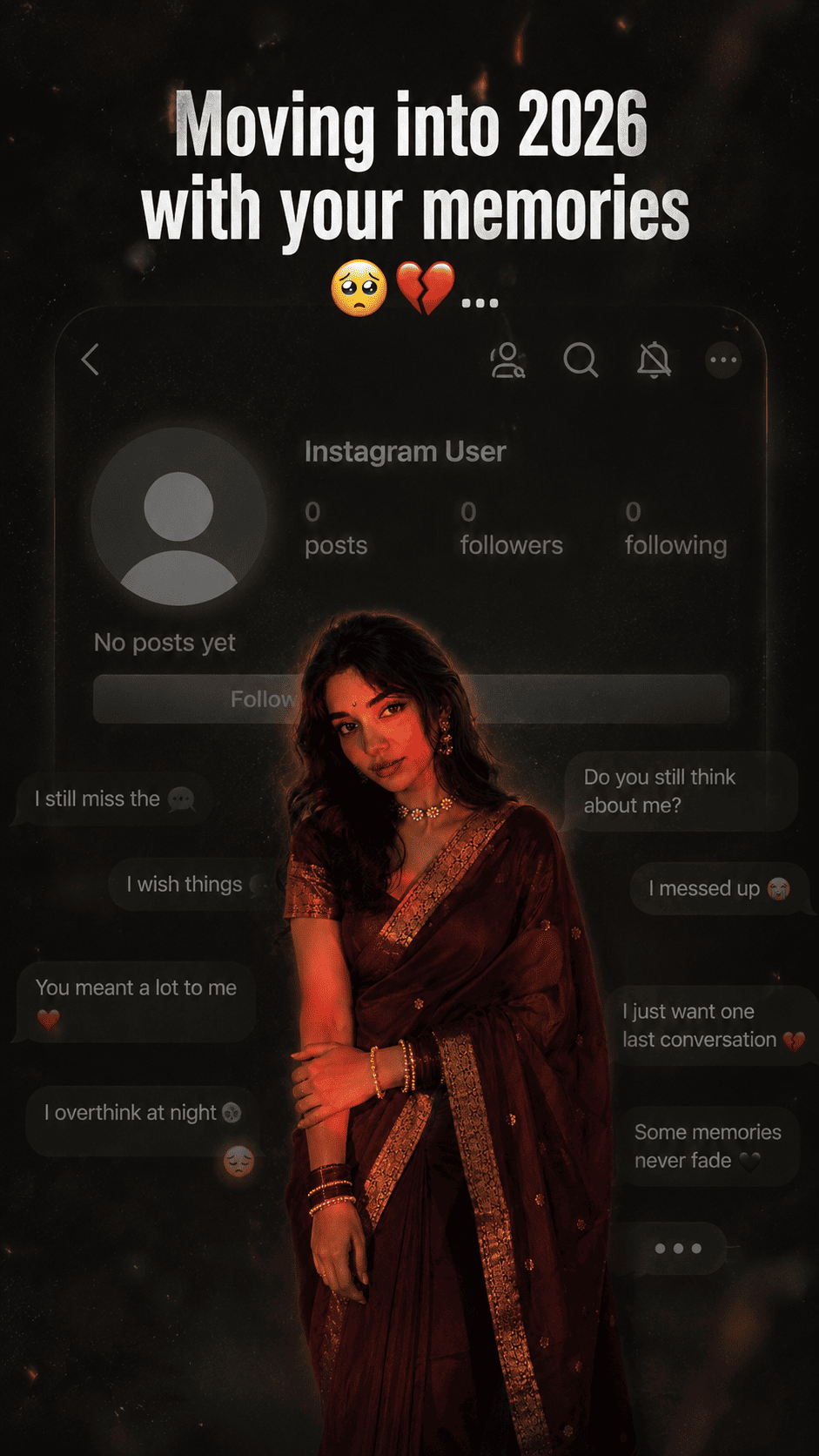
The Moving Into 2026 With Your Memories AI photo editing prompt is one of the most emotional and widely shared trends taking over Instagram Reels and WhatsApp Status right now — a dark cinematic edit that places your portrait against a moody faded Instagram profile background, complete with broken heart emojis, chat overlays, and the bold text “Moving into 2026 with your memories” in large white font. Not every year ends with happy memories, and this trend gives people a creative way to express nostalgia, past connections, and the quiet emotions that come with starting a new chapter. AI is widely used these days and Tech Upkar wants you to use this technology to complete your creative work in seconds. Simply go to Google Gemini or ChatGPT, upload your reference photo, copy the prompt below, paste it alongside your photo, and your cinematic memory edit will be ready to download and share.
This Tech Upkar prompt locks in the full mood — dark faded background, semi-transparent Instagram interface, moody color grading, film grain, dust particles, and cinematic lighting — while keeping your face, hairstyle, skin tone, body shape, clothes, and pose 100% unchanged. This style is currently going viral and by creating and uploading these images you too could gain massive reach. If you enjoyed this format, you may also like our Aesthetic Saree Collage AI Photo Editing Prompt.
In this guide
A Quick Note Before You Start
This Moving Into 2026 With Your Memories prompt is built with a strict identity lock so your face, hairstyle, skin tone, body shape, clothes, and pose stay 100% unchanged while the AI constructs the entire dark cinematic Instagram memory scene around you. The prompt is written so Gemini or ChatGPT recreates the moody background, broken heart overlays, faded Instagram profile interface, and emotional text in full detail — without ever altering your appearance. You can find unlimited AI prompts like this one on Tech Upkar.
Moving Into 2026 With Your Memories AI Photo Editing Prompt
Upload your reference image first — this is the photo the AI will use to lock in your face, identity, and appearance. Then paste the prompt below alongside it.
Create a dark, emotional Instagram heartbreak memories edit using the uploaded photo...
Tips For Better Results
- Use a clear, high-resolution photo with good natural lighting — avoid heavy beauty filters or blurred selfies as they reduce face accuracy.
- A front-facing or slight three-quarter angle photo gives the AI the clearest read on your facial structure, producing the most accurate identity lock.
- Do not crop your photo too tightly — including your shoulders and upper chest helps the AI position your subject naturally in the dark cinematic scene.
- If the output changes your face, add this line at the end of the prompt: “STRICT FACE LOCK: Use uploaded reference photo as the ONLY facial reference. Do not change any facial feature.”
- For a stronger Instagram Reels thumbnail look, generate in portrait 9:16 mode if your AI tool offers aspect ratio selection.
How To Use This Prompt
To create this cinematic memory edit, you will need the Google Gemini app or ChatGPT with image generation enabled. After downloading, log in using any Gmail account. Tap the “+” icon at the bottom of the chat screen, upload your reference photo, copy the prompt above, paste it alongside the photo, and hit send. Wait a few moments for the image to generate, then download it and share directly to your Instagram Reels, WhatsApp Status, or Stories.
Which Camera Or Phone Should You Choose?
You can use whichever device you prefer, but Sony cameras are currently favored for the best reference photos due to their exceptional dynamic range and accurate skin tone rendering. If you are looking for a budget-friendly camera option, Nikon is a solid pick, while Canon excels at both photo and video. For smartphone users, iPhones, Samsung Galaxy phones, and Google Pixel phones are all excellent choices — all three produce sharp, well-lit reference images that give the AI the most accurate base to work from.
Nowadays cameras are easily available on EMI — you can make a down payment and pay off the cost through monthly instalments with tenure options ranging from 12 to 36 months. While this might cost you an extra Rs 20,000 to Rs 30,000 in total, the payments are spread out over time. Once you have a quality camera, every AI prompt you try will produce sharper, more detailed, and more realistic results.
Frequently Asked Questions
- Which app do I need for the Moving Into 2026 With Your Memories prompt?
- You need the Google Gemini app or ChatGPT with image generation enabled. Log in with any Gmail account, upload your reference photo, paste the prompt, and your cinematic memory edit will be generated in seconds.
- Will my face stay exactly the same in the output?
- Yes. The prompt includes a strict identity lock that instructs the AI to keep your face, hairstyle, skin tone, body shape, clothes, and pose 100% unchanged. Use a clear, well-lit, front-facing reference photo for the most accurate result.
- What is the dark background in this edit?
- The dark background is a moody faded scene featuring a semi-transparent Instagram profile interface, black and grey vignette, film grain, dust particles, motion blur, and cinematic lighting — all generated entirely by the AI around your photo.
- Is this prompt good for Instagram Reels, WhatsApp Status, and Pinterest?
- Yes. The vertical portrait format is perfect for Instagram Reels covers, WhatsApp Status, Instagram Stories, and Pinterest pins. This style is currently one of the most viral emotional edit formats on these platforms.
- Is this prompt free to use?
- Yes. Google Gemini and ChatGPT are free to use, and the prompt itself is completely free to copy and paste from Tech Upkar.
Conclusion
As you know, the prompts Tech Upkar shares are always unique and highly effective, delivering working results every time. This Moving Into 2026 With Your Memories AI photo editing prompt for Google Gemini and ChatGPT is powerful — all the necessary details are packed in, and all you need to do is upload your photo and generate. Browse more of our AI photo editing prompt collection for fresh trending ideas, and if you encounter any issues during the process, let us know in the comments.