
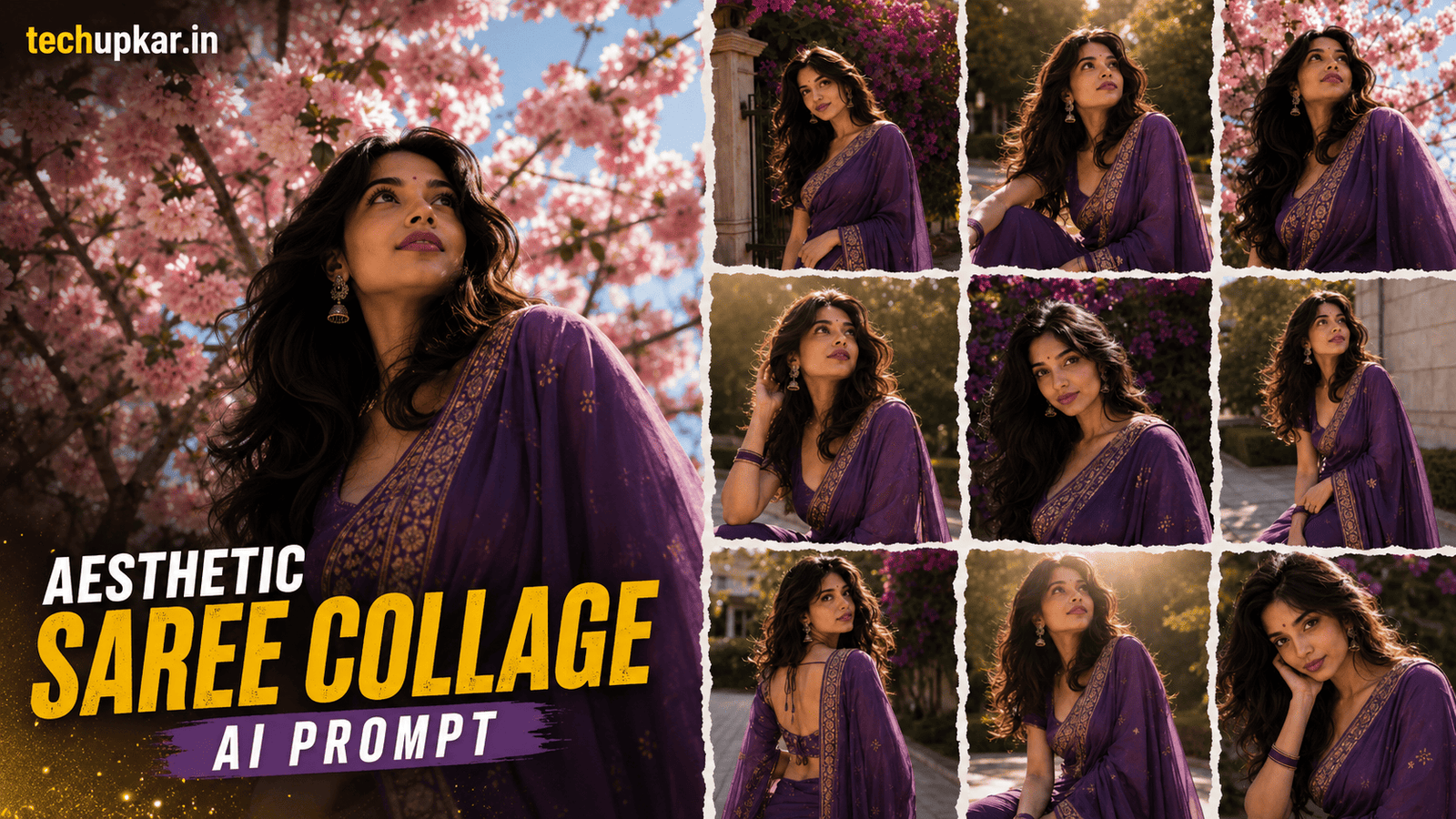
The Aesthetic Saree Collage AI Prompt is one of 2026’s most loved photo editing trends a single saree photo turned into a stylish multi-pose collage with torn-paper borders, soft floral decoration, and a premium photoshoot feel. You do not need dozens of pictures or any editing software, just one prompt and one clear portrait.
AI tools are everywhere now, and Tech Upkar wants you to use that to your advantage and finish creative edits in seconds. To try it, open ChatGPT, upload a clear saree photo, copy the prompt below, and paste it alongside your image. Your collage is ready within moments ready to download and share on Instagram, WhatsApp, or Pinterest.
This Tech Upkar prompt keeps your face and outfit locked while the AI creates different poses and expressions, then arranges them into one clean frame. If you like this format, you may also enjoy our Aesthetic Collage AI Photo Prompt.
In this guide
A Quick Note Before You Start
This prompt uses your uploaded reference photo to build the saree collage around your own face. For the most accurate result, pick a clear, well-lit portrait where your face and the saree details are easy to see. The prompt is written to lock your identity, so a sharp reference gives the most natural set of poses.
You do not need any editing skill or paid software to follow along. Everything here is a straight copy-and-paste job, and you can find unlimited AI prompts like this Aesthetic Saree Collage AI Prompt across Tech Upkar.
What Is The Aesthetic Saree Collage AI Trend?
The Aesthetic Saree Collage AI trend is a creative editing style where AI generates several realistic portraits of the same person and arranges them into one beautiful collage. Instead of repeating a single pose, the AI creates different angles and expressions, so the result looks like a real fashion photoshoot.
The torn-paper borders and soft floral elements add a scrapbook-style finish that makes the whole design feel premium. Rather than posting eight separate photos, you show your best poses in a single clean frame that stands out while people scroll.
Aesthetic Saree Collage AI Prompt
Upload a clear saree portrait first this is the face and outfit the AI will lock across every frame then paste the prompt below alongside it. You can change the saree color or background to match your own style.
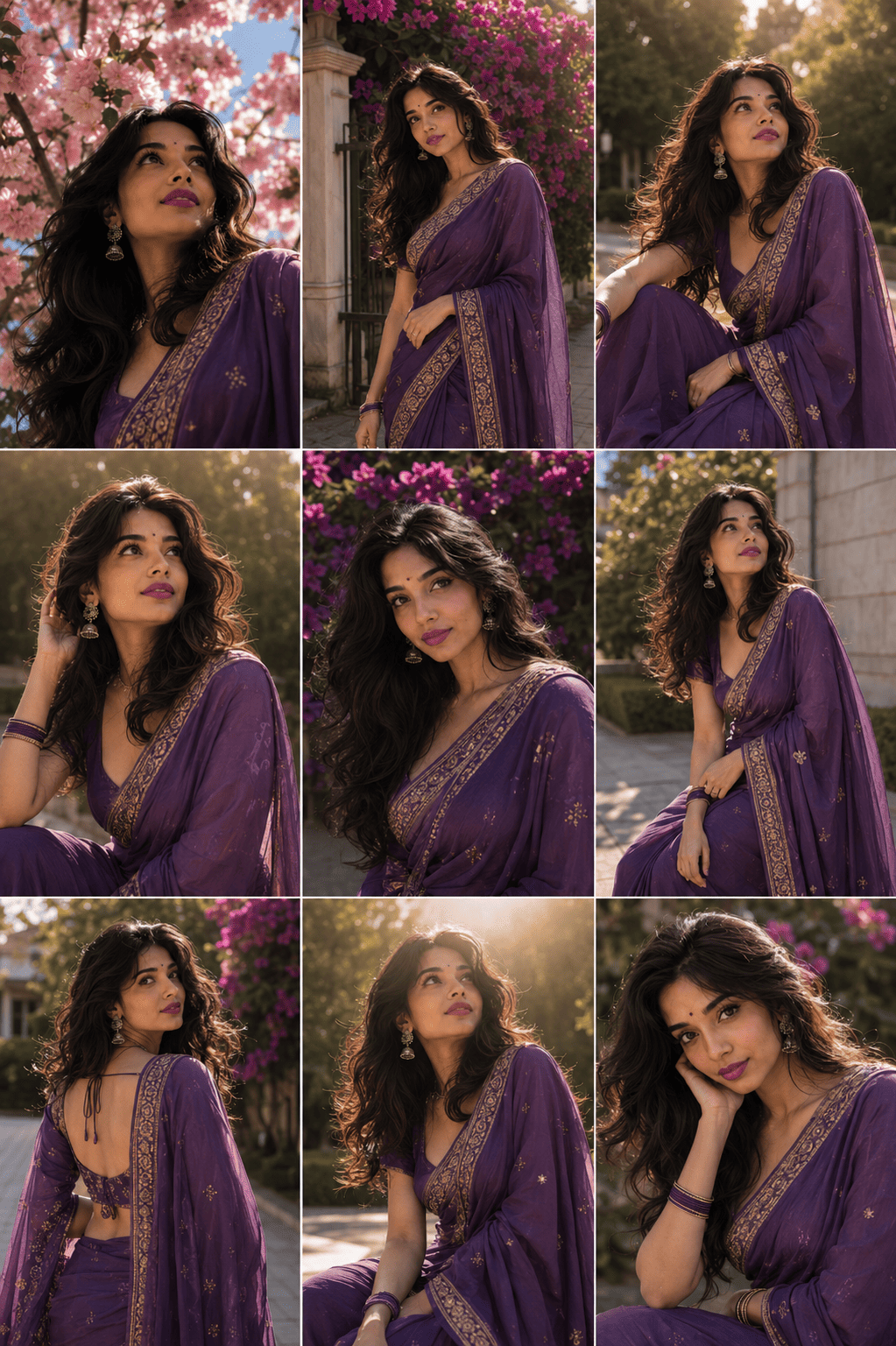
ULTRA PREMIUM PURPLE SAREE OUTDOOR AESTHETIC 9-FRAME COLLAGE (MASTER EDITION) ABSOLUTE FACE LOCK — HIGHEST PRIORITY...How To Use This Aesthetic Saree Collage AI Prompt
To create this look you will need ChatGPT with image generation enabled. Log in with your Gmail account, then click the “+” icon to upload a clear saree photo of yourself.
Next, copy the prompt from above, paste it alongside your photo, and hit send. Wait a few moments for the collage to generate, then download it once it is ready. You can also use Google Gemini with the same prompt if you prefer. If the first result is not perfect, send “regenerate” or tweak one detail such as the saree color or background and try again.
Tips For The Best Aesthetic Saree Collage Result
- Upload a high-resolution portrait. A sharp photo helps the AI keep your face identical across all nine frames.
- Wear a saree with visible detail. Patterns, embroidery, and texture make each frame look richer.
- Choose natural daylight. Soft daylight in your reference matches the golden-hour collage far better than indoor light.
- Keep your face clearly visible. Avoid hair or shadows covering your features so the face lock stays accurate.
- Avoid heavily filtered or blurry images. Filters confuse the AI and lower the realism of the final collage.
Follow these tips and your Aesthetic Saree Collage AI Prompt result will look like a real fashion photoshoot which is exactly what makes this trend so popular on Instagram and Pinterest.
Frequently Asked Questions
- Which app do I need for the Aesthetic Saree Collage AI Prompt?
- You need ChatGPT with image generation enabled, or Google Gemini. Log in, upload a clear saree photo, and paste the prompt to generate the collage.
- Will the AI change my face or outfit?
- No. The prompt is designed to preserve your face, hairstyle, saree, and jewellery while only creating different poses and arranging them into a collage.
- Does Google Gemini support this collage style?
- Yes. Google Gemini can also generate collage-style AI portraits using the same prompt.
- Can I use outfits other than a saree?
- Yes. Although this trend is popular with sarees, the same collage style works with lehengas, salwar suits, gowns, or casual outfits just change the outfit line in the prompt.
- Where can I share this collage?
- It is perfect for Instagram posts, Pinterest, Facebook, WhatsApp Status, festival greetings, and digital photo albums.
Conclusion
As you already know, the prompts Tech Upkar shares are unique, tested, and built to deliver working results. This Aesthetic Saree Collage AI Prompt for ChatGPT turns one photo into a complete fashion-style collage perfect for a festival, a wedding, or simply showing off a favourite saree. Browse more of our AI photo editing prompt collection for fresh ideas, and if you hit any issue during the process, drop a comment and let us know.