
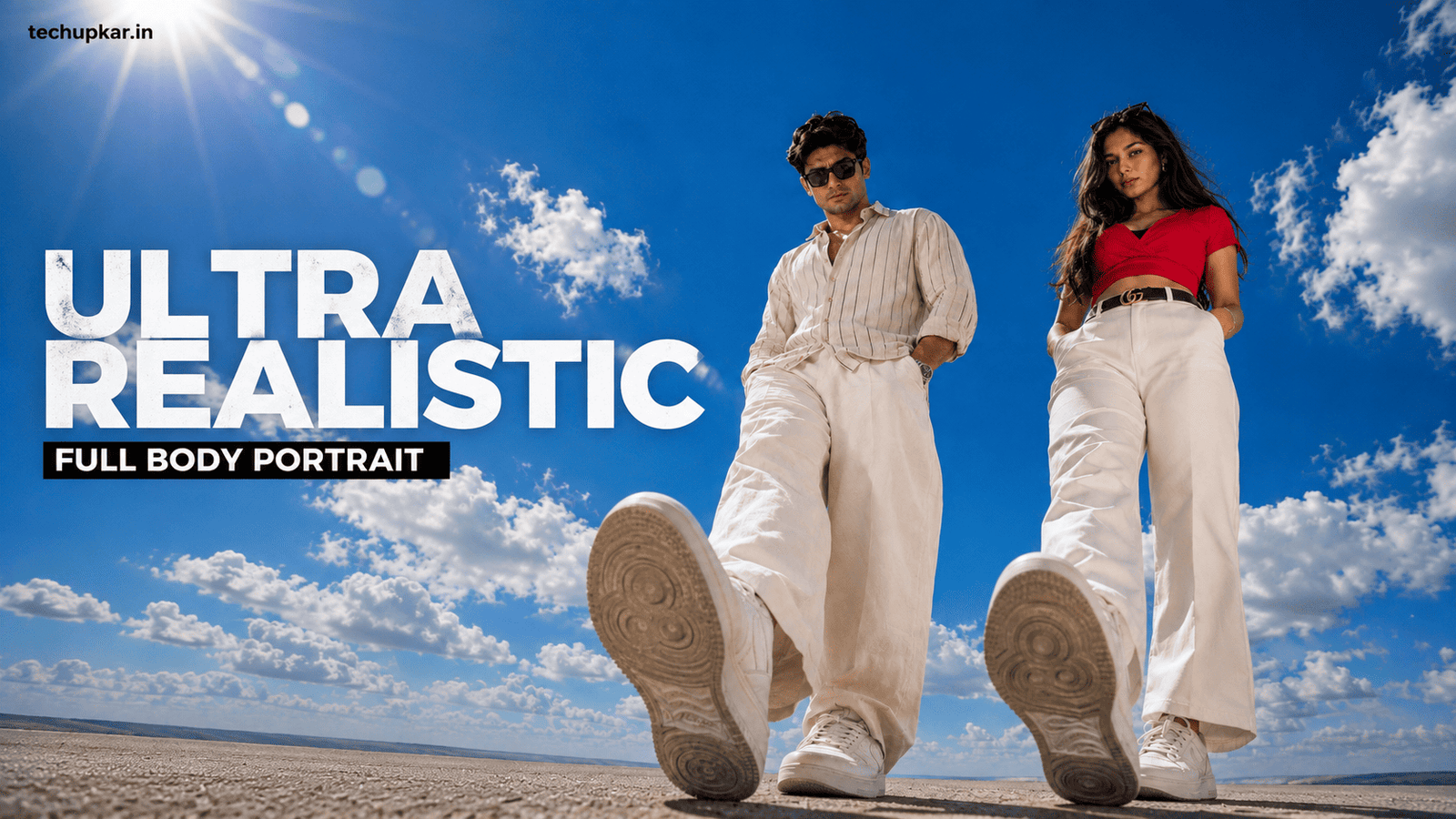
The Cloudy And Sunlight Photo Prompt recreates one of 2026’s cleanest portrait looks a subject shot against a huge open sky of fluffy white clouds, lit by bright midday sun with a soft lens flare. No busy background, no clutter, just skin, sky, and light. It reads as a magazine cover, and it works because the composition is almost impossibly simple.
What makes it striking is the deliberate emptiness. By filling 80 to 90 percent of the frame with sky and dropping the horizon low, the subject becomes the only thing to look at. The clouds add depth, the sun adds warmth, and the low camera angle makes the person look confident and larger than life.
Below are two full-body versions of this look, each with a different outfit. If you like clean portrait styles, you may also enjoy our Aesthetic Collage AI Photo Prompt.
In this guide
- Why the open-sky look is so effective
- Which of the two prompts should you use?
- Cloudy And Sunlight Photo Prompt 1 (Full-Body, Red Outfit)
- Cloudy And Sunlight Photo Prompt 2 (Full-Body, Cream Linen)
- How to use these prompts
- How to customise the prompt for your own look
- Troubleshooting: fixing common bad results
- Frequently asked questions
Why The Open-Sky Look Is So Effective
Two photography choices do all the heavy lifting in the Cloudy And Sunlight Photo Prompt, and knowing them will help you write better versions.
The first is the low horizon. When the horizon sits near the bottom of the frame, the sky dominates and there is nothing to compete with the subject. Photographers call this negative space, and it is the same reason fashion billboards often place a model against a plain background it forces your eye onto the person.
The second is the low camera angle. Both prompts here use an extreme 14mm wide angle placed near the ground, which exaggerates height and makes the nearest shoe loom large in the foreground while making the subject look tall and confident.
The sun in the upper-left corner is not decoration. It creates rim lighting a bright edge around the hair that separates the subject from the sky and puts catchlights in the eyes, which is what makes a portrait feel alive rather than flat.
Which Of The Two Prompts Should You Use?
Both are full-body, extreme wide-angle shots the only real difference is the outfit and how tightly it is locked.
- Prompt 1 (Full-Body, Red Outfit) locks a specific bright-red outfit exactly as described. Choose this when you want the AI to keep an exact outfit rather than invent one.
- Prompt 2 (Full-Body, Cream Linen) a cream linen shirt and trousers look with more room for the AI to interpret styling naturally. Use this for a softer, more relaxed result.
Locked outfit versus flexible outfit
Prompt 1 is stricter it tells the AI not to change, replace, recolor, or redesign the clothing, so it is the better choice if you already know exactly what you want to wear. Prompt 2 gives the AI a bit more freedom within the cream linen theme, which can produce more natural-looking fabric folds and movement.
A Quick Note Before You Start
Both prompts are built to preserve your face 100 percent from the uploaded photo, so upload a clear, well-lit, front-facing reference for the best match. Unlike some trends, this one keeps your real identity the “same face, no face alteration” wording at the end of each prompt is what enforces that, so do not delete it.
Cloudy And Sunlight Photo Prompt 1 (Full-Body, Red Outfit)
A full-body wide-angle version that locks a specific bright-red outfit in place. Use this when you want the AI to keep an exact outfit from your reference instead of inventing one.
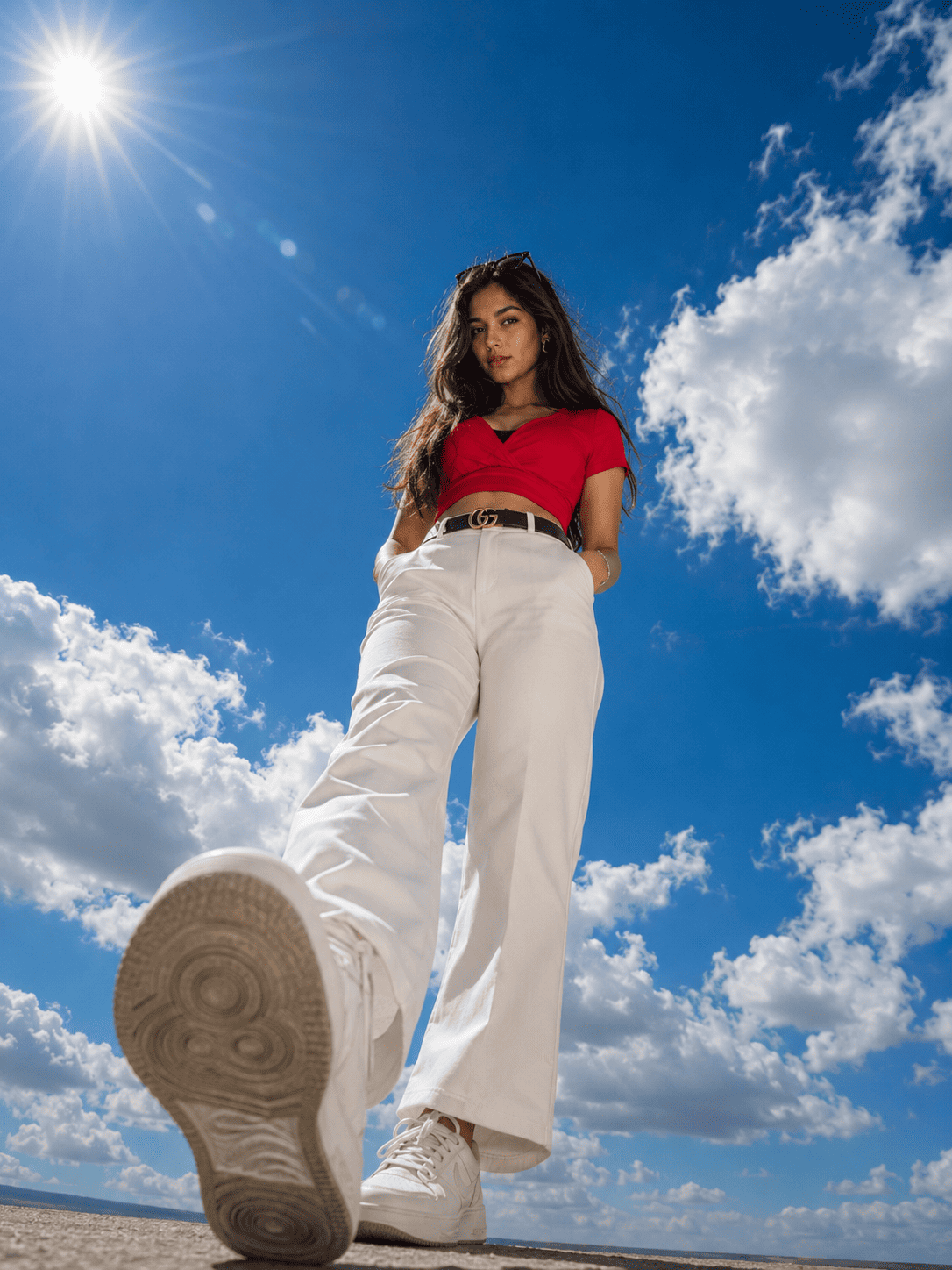
Ultra-realistic full-body portrait of the SAME young South Asian woman captured from an extreme low-angle, ultra-wide (14mm lens)...Cloudy And Sunlight Photo Prompt 2 (Full-Body, Cream Linen)
An extreme low-angle, ultra-wide full-body shot in a cream linen outfit. The dramatic 14mm perspective makes the nearest sneaker loom large and the subject look tall.
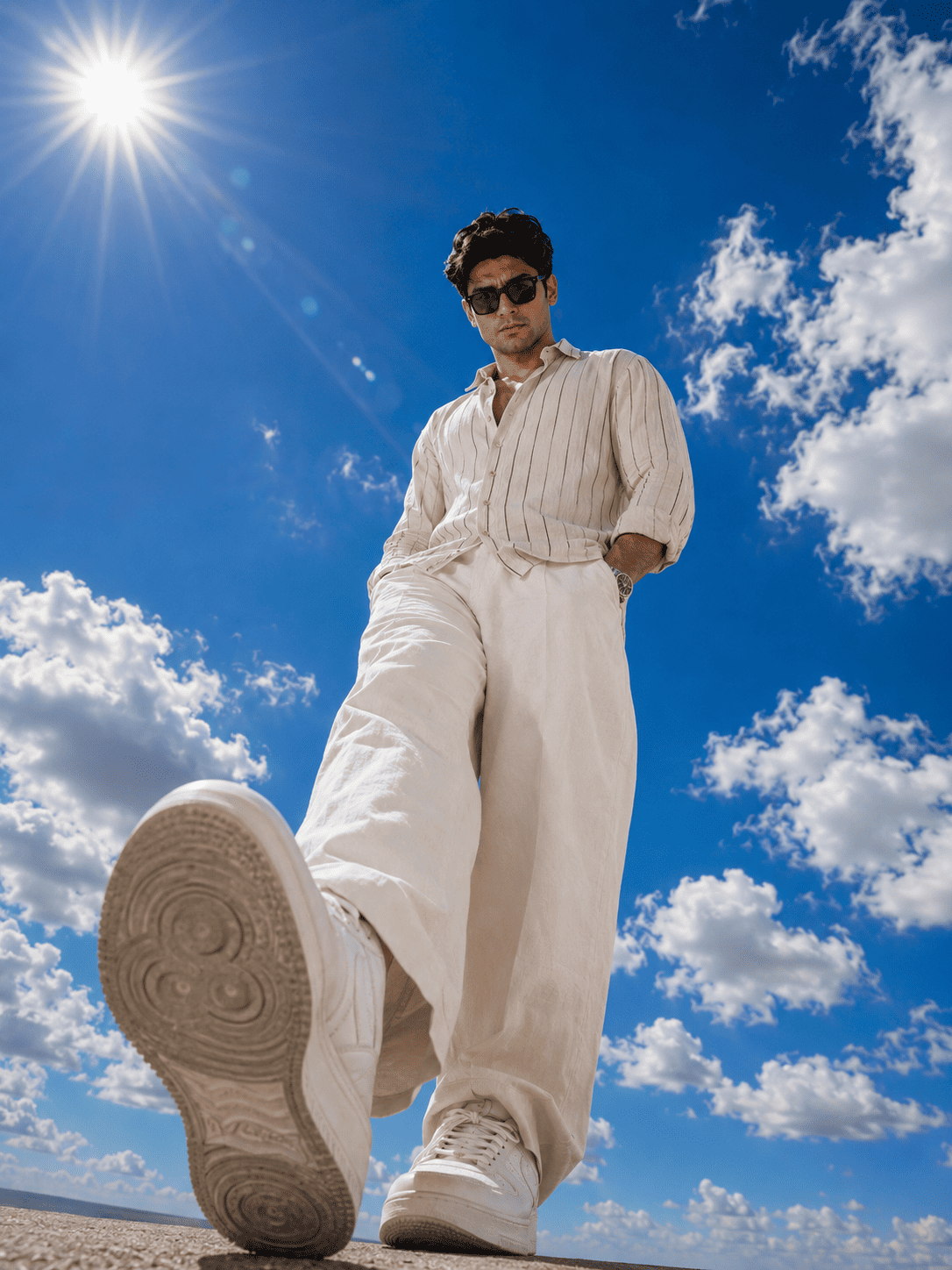
Ultra-realistic full-body portrait of the SAME young South Asian woman captured from an extreme low-angle, ultra-wide (14mm lens)...How To Use These Prompts
You will need ChatGPT with image generation enabled, or Google Gemini. Log in, click the “+” icon, and upload a clear reference photo.
Pick the outfit you prefer, paste the matching prompt alongside your image, and send. Give it a moment, then download. If the sky is not large enough, do not rewrite everything just add “make the sky fill 90% of the frame and lower the horizon” and regenerate.
How To Customise The Prompt For Your Own Look
These prompts are templates. The parts below are safe to change without breaking the style.
- Outfit. Prompt 1 shows how to lock an exact outfit copy that structure if you want the AI to keep your real clothes precisely.
- Time of day. Swap “bright glowing midday sun” for “warm golden-hour sun low on the horizon” to get a sunset version with orange tones instead of deep blue.
- Sky mood. Change “large fluffy white cumulus clouds” to “dramatic storm clouds” or “thin wispy clouds” for a completely different feeling.
- Pose. “One foot slightly forward, hands tucked into pockets” can become arms crossed, one hand touching hair, or a walking mid-step pose.
- Keep the identity lines. The “100% same face, no face alteration” text at the end is what preserves your real face. Removing it lets the AI drift into a stranger.
Troubleshooting: Fixing Common Bad Results
If a result is not working, it is usually one of these.
The background has buildings or trees. The AI ignored the “only sky” instruction. Add “plain open sky only, absolutely no buildings, trees, poles or objects” and regenerate.
The face changed. Your reference was blurry or low-resolution. Use a sharper, front-facing photo and keep the identity-preservation lines intact.
Hands or feet look distorted. This is the wide-angle lens exaggerating them. Regenerate a few times, or add “natural, undistorted hands and feet” as an extra instruction.
The photo looks flat, with no glow around the hair. The sun and rim light are missing. State it directly: “bright sun in the upper-left corner creating a rim-light glow around the hair and catchlights in the eyes.”
Frequently Asked Questions
- Which app do I need for the Cloudy And Sunlight Photo Prompt?
- ChatGPT with image generation enabled, or Google Gemini. Both accept an uploaded photo alongside the prompt text.
- Will the AI keep my real face?
- Yes. Both versions include strong “100% same face, no face alteration” instructions, so the AI preserves your identity while changing only the outfit, background and lighting.
- What is the difference between Prompt 1 and Prompt 2?
- Prompt 1 locks a specific bright-red outfit exactly as described. Prompt 2 uses a cream linen shirt and trousers with slightly more room for natural styling.
- Why do the shoes look distorted?
- That is intentional. The extreme 14mm wide-angle perspective makes the nearest foot loom large in the foreground, which is a signature part of this look.
- Can I make a sunset version instead of blue sky?
- Yes. Replace the midday sun wording with golden-hour sunlight and the deep-blue sky with warm orange and pink tones to shift the whole mood.
- Is this style good for Instagram?
- Yes. The 3:4 ratio suits feed posts, and the clean sky background makes the images stand out while scrolling. For Stories, change the ratio to 9:16 in the prompt.
Conclusion
The Cloudy And Sunlight Photo Prompt proves that the simplest background is often the strongest. A big open sky, one well-placed sun, and a confident low angle turn an ordinary photo into an editorial portrait, and these two full-body versions let you choose between a locked outfit or a softer linen look.
Start with whichever outfit matches your style, get the sky and lighting right, then try the other version if you want a change. Browse more of our AI photo editing prompt collection for other styles, and tell us in the comments which one worked best for you.