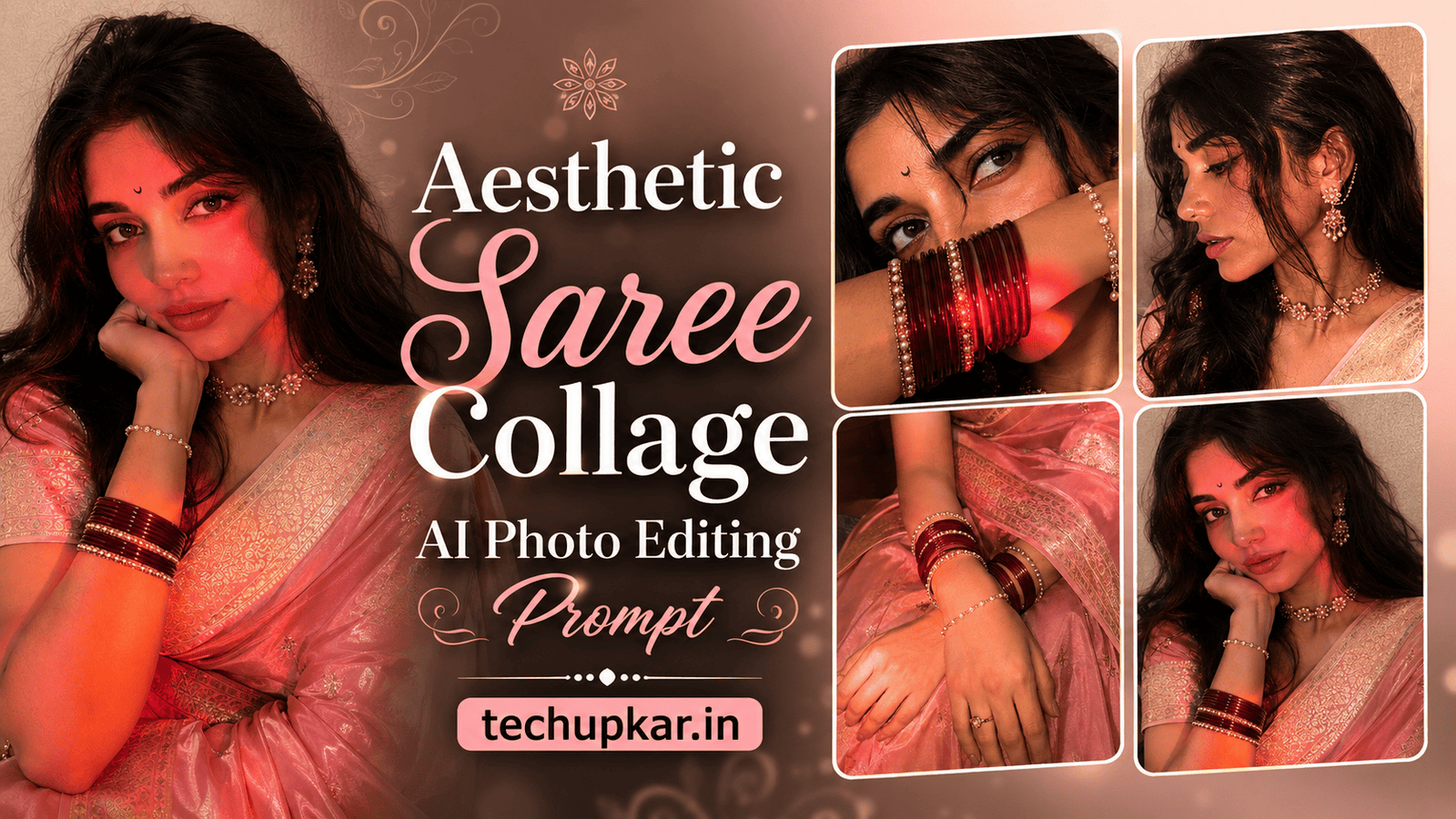
The Aesthetic Saree Collage AI Photo Editing Prompt trend is exploding on Instagram Reels and Pinterest right now — a beautifully arranged multi-frame portrait that shows your face, jewelry, hands, and saree drape all in one cinematic grid, looking like it was shot by a professional photographer. Instead of a single static photo, this collage tells a complete story through close-ups of your expressions, bangles, ear chains, and silk fabric details, all bathed in warm LED-lit tones. Everyone seems to be posting this style, and Tech Upkar wants you to create yours too — without any expensive photoshoot. Simply open Google Gemini or ChatGPT, upload a clear reference photo, copy one of the prompts below, paste it alongside your photo, and your stunning saree collage will be ready in seconds to download and share.
Tech Upkar has put together three powerful prompts for this style — a blush pink Banarasi saree iPhone selfie collage, a deep maroon Banarasi saree version, and a premium DSLR beauty portrait collage — each with a strict identity lock so your face, skin tone, and features stay 100% unchanged. This is the same technology making everyday people look like magazine cover stars, and now it is yours to use for free. If you enjoy this style, you will also love our Rain Memory AI Photo Editing Prompt.
All three Aesthetic Saree Collage prompts below are built with a strict identity lock, which means your face, facial structure, skin tone, hairstyle, and expression are preserved exactly as they appear in your reference photo. The AI builds the entire saree, jewelry, lighting, and multi-frame composition around you without ever altering who you are. Use a clear, well-lit, front-facing photo as your reference for the most accurate result. You can find unlimited AI prompts like these on Tech Upkar.
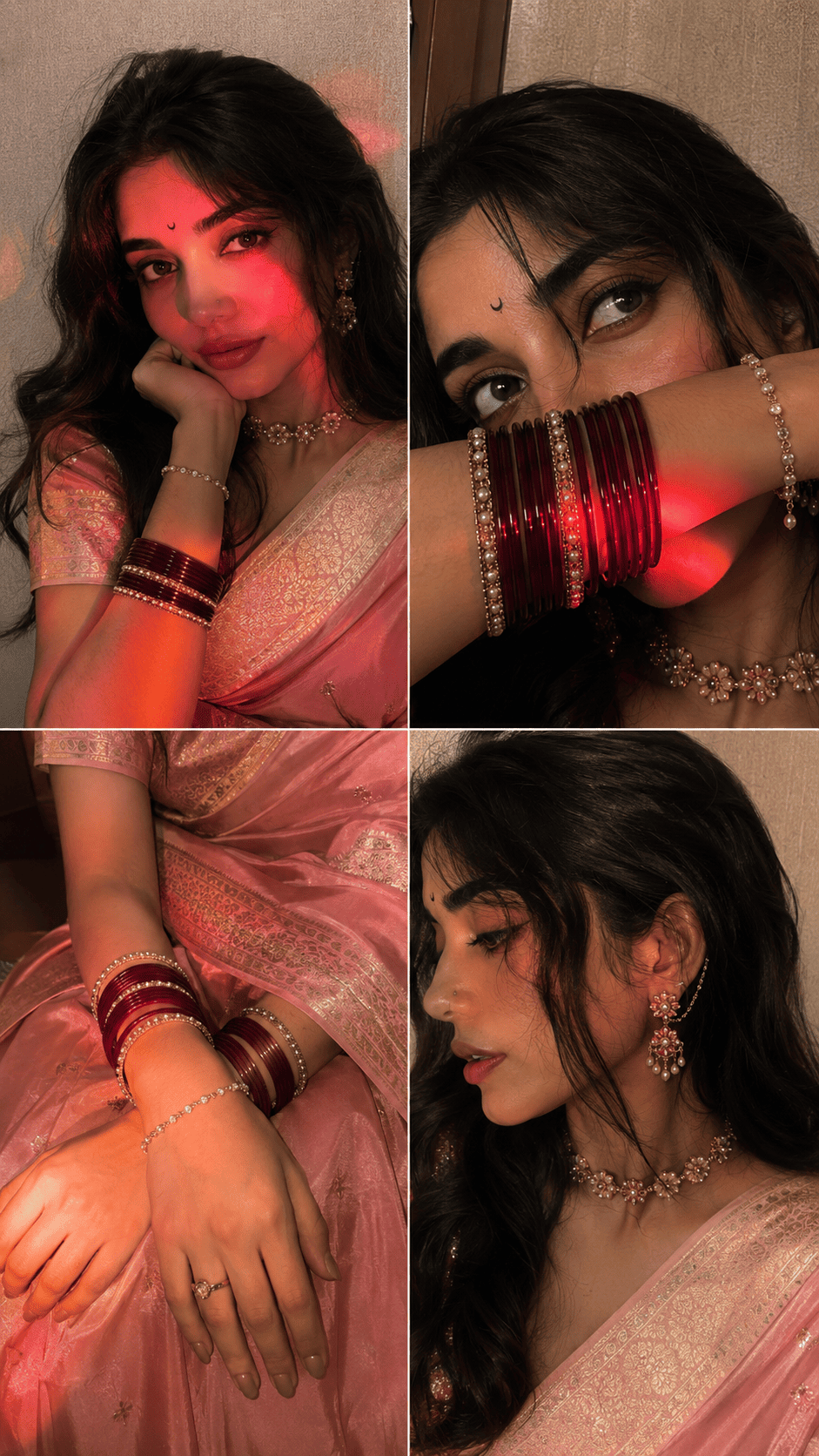
This prompt creates a luxurious 2×2 four-frame iPhone selfie collage of you in a blush pink Banarasi silk saree with antique gold zari borders, warm LED light streaks, and rich jewelry detail. Upload your reference photo first, then paste the prompt below.
Pink Banarasi saree collage output generated with the Tech Upkar Aesthetic Saree Collage AI photo editing prompt.
Prompt 1 — Pink Saree
Ultra-realistic indoor iPhone 16 Pro front-camera selfie collage, 2x2 grid with four perfectly equal square frames...
Ultra-realistic indoor iPhone 16 Pro front-camera selfie collage, 2x2 grid with four perfectly equal square frames, appearing exactly like naturally captured real-life selfies instead of AI-generated artwork. Absolute smartphone realism with authentic iPhone front camera optics, subtle sensor noise, delicate film grain, tiny handheld motion blur, slight autofocus softness, realistic JPEG compression, HDR turned off, no beauty mode, no skin smoothing, no over-sharpening, no artificial perfection. True-to-life skin texture with visible pores, baby hairs, peach fuzz, natural lip texture, tiny facial asymmetry, lifelike eye reflections, soft lens imperfections, realistic front-camera perspective.

SUBJECT:
A stunning young South Asian woman wearing a luxurious blush pink Banarasi silk saree with intricate antique gold zari borders and an elegant matching pink blouse. The saree drapes naturally with rich folds, premium silk texture, and soft luminous highlights that enhance its elegant pink hue.
A tiny black crescent moon bindi perfectly centered on her forehead. Long dark brown hair styled in soft flowing waves with a clean middle part and loose face-framing strands. Fresh natural glam makeup featuring warm brown eyeshadow, ultra-thin eyeliner, naturally curled lashes, softly flushed cheeks, glowing healthy skin, glossy nude-rose lips.

Accessories include an elegant pearl-and-antique-gold floral choker necklace, matching floral drop earrings with delicate ear chain connected to her hair, stacked maroon glass bangles mixed with gold kadas and pearl bracelets, a graceful bracelet on her wrist, and subtle rings.

FRAME 1 (Top Left)
Natural medium close-up selfie captured approximately 45 cm away. She gently rests her chin on her folded right hand while tilting her head slightly toward it. A soft closed-lip smile with warm expressive eyes looking directly into the camera. Left shoulder slightly forward with the silk saree gracefully draped. Background features a softly textured cream wall.

A vivid warm pink-red LED light streak falls diagonally across the forehead, left eye, nose, cheek and chin while the remaining face is illuminated by the natural iPhone front flash. The lighting creates beautiful dimensionality and realistic facial contours.

FRAME 2 (Top Right)
Intimate close-up captured approximately 23 cm away. Her forearm gently covers her nose and lips, beautifully showcasing stacked maroon and gold bangles. Her eyes gaze slightly upward toward the left with a calm dreamy expression. Loose hair strands softly fall over her forehead. Jewelry sparkles naturally under the warm flash while pink-red reflections illuminate the bangles and lower face.

FRAME 3 (Bottom Left)
Beautiful close-up from above showing both hands gracefully resting on her lap over the luxurious silk saree. The rich maroon fabric, shimmering zari border, elegant bangles, delicate bracelet, and natural hand pose become the primary focus. A soft golden-orange LED light washes gently across the wrists and saree folds, creating rich highlights and realistic silk reflections. Fingernails are short with glossy nude polish. Everything feels elegant, minimal and naturally luxurious.

FRAME 4 (Bottom Right)
Close-up side profile captured approximately 30 cm away. The composition highlights her ear jewelry, floral ear chain, graceful jawline, neck, pearl choker and embroidered saree border. Hair tucked neatly behind the ear revealing intricate jewelry details. Her head turns naturally away from the camera creating an authentic candid moment. Warm flash lighting produces realistic metallic reflections and soft shadows beneath the chin.

LIGHTING
Primary lighting comes entirely from the genuine iPhone 16 Pro front flash combined with warm ambient indoor lamp lighting. Strong cinematic pink-red LED light streaks illuminate the first two frames, rich golden-orange light enhances the third frame, while the fourth frame features soft warm neutral lighting. Gentle highlight roll-off, realistic skin reflections, subtle shadows beneath the chin, nose and loose hair strands. Jewelry catches realistic specular highlights without appearing overexposed. No studio lighting.

BACKGROUND
Minimal cozy indoor environment with lightly textured cream and beige walls. Naturally shallow depth created only by smartphone optics. Soft warm atmosphere with uncluttered surroundings. Realistic indoor ambience with authentic household lighting.

CAMERA
Captured using a genuine iPhone 16 Pro front camera (26 mm equivalent ultra-wide selfie lens). Natural handheld framing with believable arm-length distance. Authentic selfie perspective with slight wide-angle distortion typical of smartphone front cameras. No cinematic portrait mode, no artificial depth effect.

COLOR
Warm amber skin tones, soft rose highlights, subtle magenta reflections, rich maroon silk, deep antique gold accents, creamy neutral background, balanced white balance, slightly lifted blacks, soft contrast, natural saturation, premium smartphone color science without teal-orange grading.

QUALITY
Looks completely indistinguishable from authentic casual iPhone selfies captured by a real person indoors. Ultra-photorealistic smartphone photography with tiny sensor grain, natural handheld imperfections, realistic compression artifacts, believable lighting, lifelike skin, premium fabric texture, authentic reflections, and genuine front-camera realism. Absolutely no AI-generated appearance, no digital painting effect, no unrealistic perfection.

Aspect Ratio: 9:16

Make Sure Use 100% Face Same

I want pink saree in this prompt
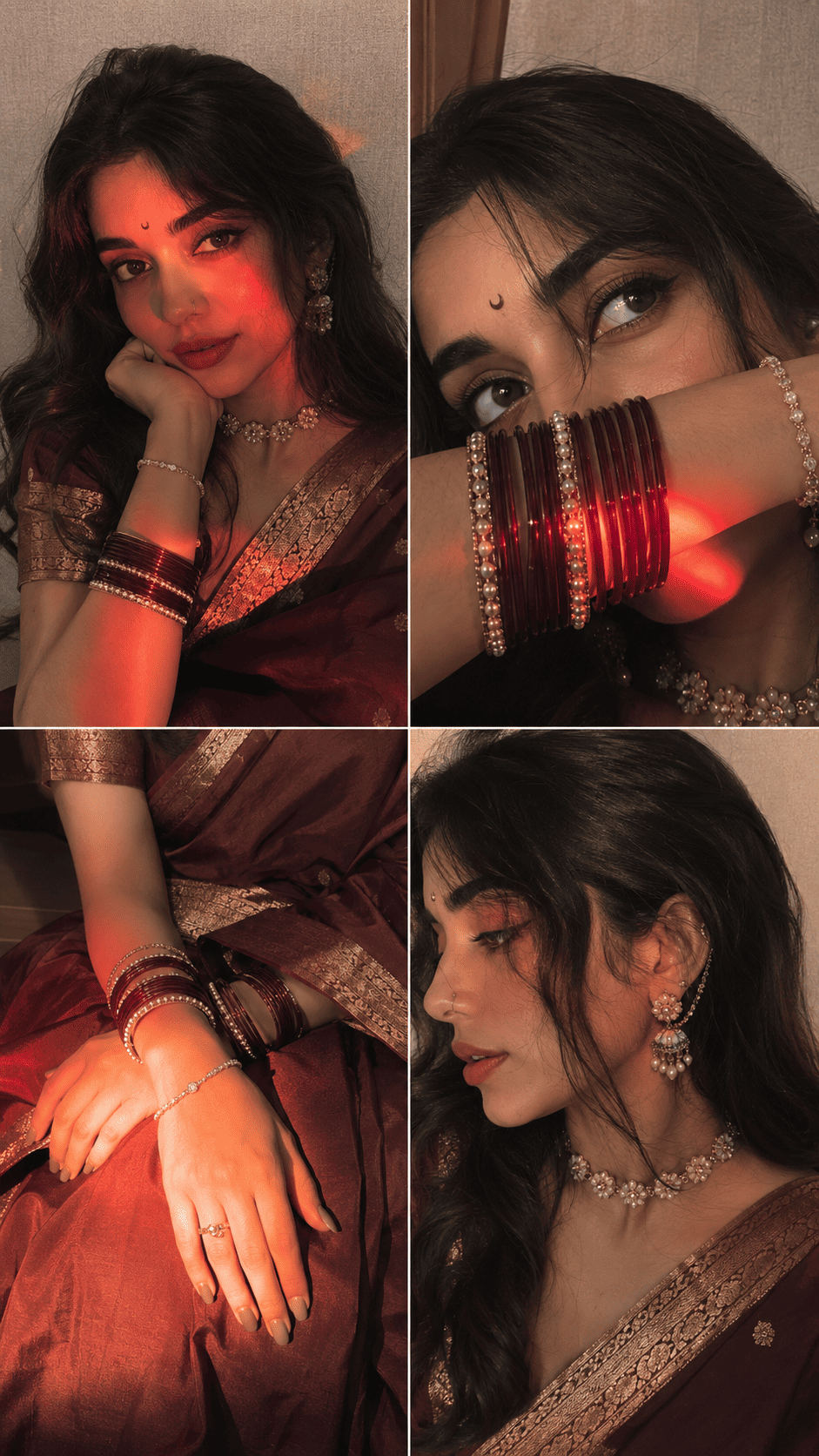
This version swaps the pink for a rich deep maroon Banarasi silk saree while keeping the same cinematic four-frame selfie grid, LED lighting, and premium jewelry detail. Perfect if you prefer a deeper, more dramatic ethnic look.
Maroon Banarasi saree collage output generated with the Tech Upkar Aesthetic Saree Collage AI photo editing prompt.
Prompt 2 — Maroon Saree
Ultra-realistic indoor iPhone 16 Pro front-camera selfie collage, 2x2 grid with four perfectly equal square frames...
Ultra-realistic indoor iPhone 16 Pro front-camera selfie collage, 2x2 grid with four perfectly equal square frames, appearing exactly like naturally captured real-life selfies instead of AI-generated artwork. Absolute smartphone realism with authentic iPhone front camera optics, subtle sensor noise, delicate film grain, tiny handheld motion blur, slight autofocus softness, realistic JPEG compression, HDR turned off, no beauty mode, no skin smoothing, no over-sharpening, no artificial perfection. True-to-life skin texture with visible pores, baby hairs, peach fuzz, natural lip texture, tiny facial asymmetry, lifelike eye reflections, soft lens imperfections, realistic front-camera perspective.

SUBJECT:
A stunning young South Asian woman wearing a luxurious deep maroon Banarasi silk saree with intricate antique gold zari borders and an elegant matching blouse. The saree drapes naturally with rich folds and premium silk texture.

A tiny black crescent moon bindi perfectly centered on her forehead. Long dark brown hair styled in soft flowing waves with a clean middle part and loose face-framing strands. Fresh natural glam makeup featuring warm brown eyeshadow, ultra-thin eyeliner, naturally curled lashes, softly flushed cheeks, glowing healthy skin, glossy nude-rose lips.

Accessories include an elegant pearl-and-antique-gold floral choker necklace, matching floral drop earrings with delicate ear chain connected to her hair, stacked maroon glass bangles mixed with gold kadas and pearl bracelets, a graceful bracelet on her wrist, and subtle rings.

FRAME 1 (Top Left)
Natural medium close-up selfie captured approximately 45 cm away. She gently rests her chin on her folded right hand while tilting her head slightly toward it. A soft closed-lip smile with warm expressive eyes looking directly into the camera. Left shoulder slightly forward with the silk saree gracefully draped. Background features a softly textured cream wall.

A vivid warm pink-red LED light streak falls diagonally across the forehead, left eye, nose, cheek and chin while the remaining face is illuminated by the natural iPhone front flash. The lighting creates beautiful dimensionality and realistic facial contours.

FRAME 2 (Top Right)
Intimate close-up captured approximately 23 cm away. Her forearm gently covers her nose and lips, beautifully showcasing stacked maroon and gold bangles. Her eyes gaze slightly upward toward the left with a calm dreamy expression. Loose hair strands softly fall over her forehead. Jewelry sparkles naturally under the warm flash while pink-red reflections illuminate the bangles and lower face.

FRAME 3 (Bottom Left)
Beautiful close-up from above showing both hands gracefully resting on her lap over the luxurious silk saree. The rich maroon fabric, shimmering zari border, elegant bangles, delicate bracelet, and natural hand pose become the primary focus. A soft golden-orange LED light washes gently across the wrists and saree folds, creating rich highlights and realistic silk reflections. Fingernails are short with glossy nude polish. Everything feels elegant, minimal and naturally luxurious.

FRAME 4 (Bottom Right)
Close-up side profile captured approximately 30 cm away. The composition highlights her ear jewelry, floral ear chain, graceful jawline, neck, pearl choker and embroidered saree border. Hair tucked neatly behind the ear revealing intricate jewelry details. Her head turns naturally away from the camera creating an authentic candid moment. Warm flash lighting produces realistic metallic reflections and soft shadows beneath the chin.

LIGHTING
Primary lighting comes entirely from the genuine iPhone 16 Pro front flash combined with warm ambient indoor lamp lighting. Strong cinematic pink-red LED light streaks illuminate the first two frames, rich golden-orange light enhances the third frame, while the fourth frame features soft warm neutral lighting. Gentle highlight roll-off, realistic skin reflections, subtle shadows beneath the chin, nose and loose hair strands. Jewelry catches realistic specular highlights without appearing overexposed. No studio lighting.

BACKGROUND
Minimal cozy indoor environment with lightly textured cream and beige walls. Naturally shallow depth created only by smartphone optics. Soft warm atmosphere with uncluttered surroundings. Realistic indoor ambience with authentic household lighting.

CAMERA
Captured using a genuine iPhone 16 Pro front camera (26 mm equivalent ultra-wide selfie lens). Natural handheld framing with believable arm-length distance. Authentic selfie perspective with slight wide-angle distortion typical of smartphone front cameras. No cinematic portrait mode, no artificial depth effect.

COLOR
Warm amber skin tones, soft rose highlights, subtle magenta reflections, rich maroon silk, deep antique gold accents, creamy neutral background, balanced white balance, slightly lifted blacks, soft contrast, natural saturation, premium smartphone color science without teal-orange grading.

QUALITY
Looks completely indistinguishable from authentic casual iPhone selfies captured by a real person indoors. Ultra-photorealistic smartphone photography with tiny sensor grain, natural handheld imperfections, realistic compression artifacts, believable lighting, lifelike skin, premium fabric texture, authentic reflections, and genuine front-camera realism. Absolutely no AI-generated appearance, no digital painting effect, no unrealistic perfection.

Aspect Ratio: 9:16

Make Sure Use 100% Face Same
Prompt 3 — DSLR Beauty Portrait Collage
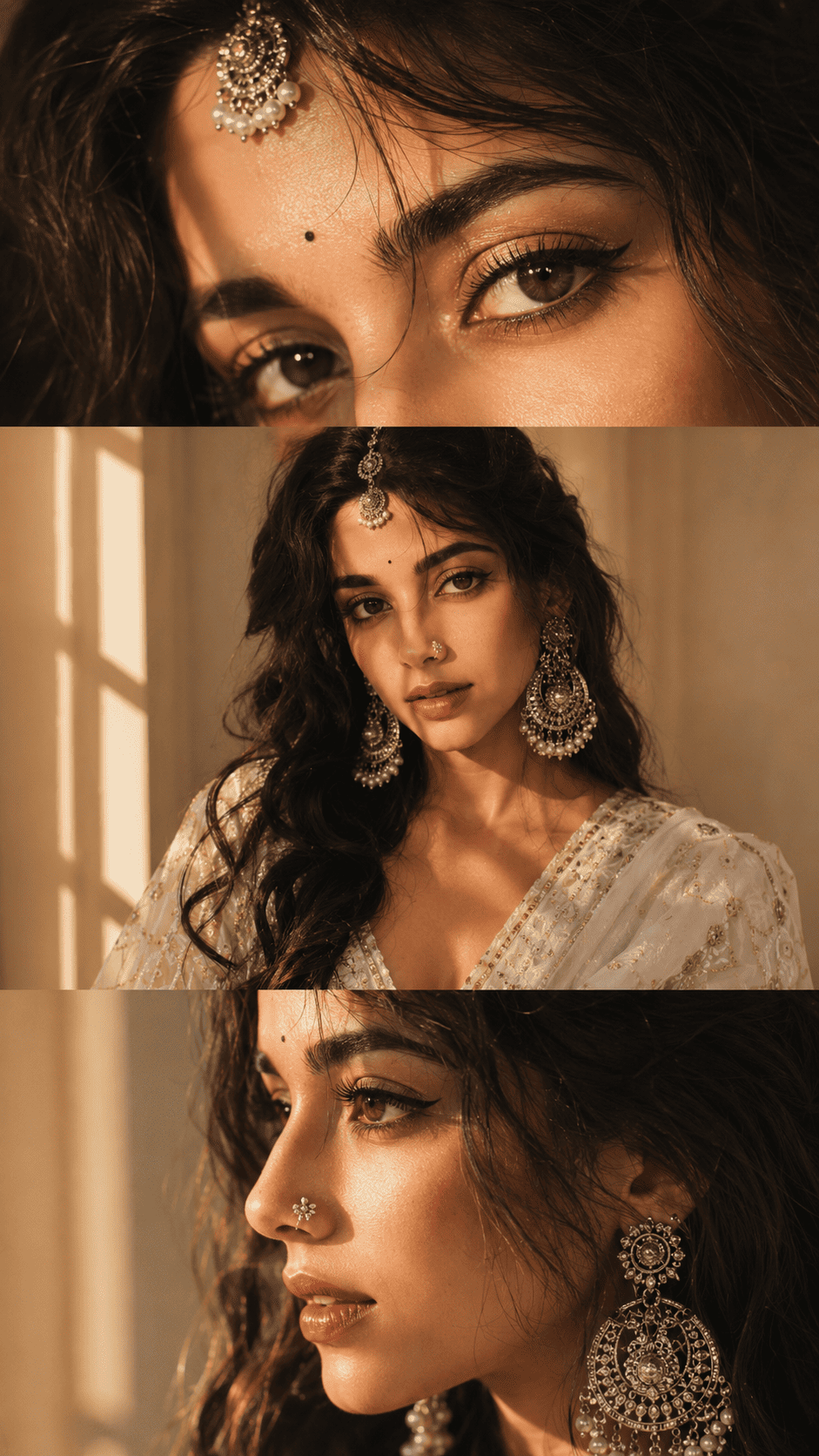
This premium three-panel vertical collage prompt uses DSLR-quality golden hour lighting with Maharashtrian ethnic jewelry — a nose pin, maang tikka, and chandelier earrings — for a luxury editorial magazine look. Ideal for wedding content, Instagram feature posts, and Pinterest boards.
DSLR beauty portrait collage output generated with the Tech Upkar Aesthetic Saree Collage AI photo editing prompt.
Prompt 3 — DSLR Beauty
Create an ultra-realistic DSLR beauty portrait collage of the SAME person from the uploaded reference image...
Create an ultra-realistic DSLR beauty portrait collage of the SAME person from the uploaded reference image.

STRICT IDENTITY LOCK:
Preserve the person's face with maximum accuracy. Keep the exact facial structure, eyes, eyebrows, nose, lips, jawline, skin tone, hairstyle, expression, and natural beauty unchanged. Do not beautify, replace, or reinterpret the face.

STYLE:
Elegant South Asian ethnic aesthetic with soft glamorous makeup, warm peach blush, nude matte lipstick, subtle shimmer eyeshadow, long eyelashes, natural glowing skin, tiny black bindi, delicate silver Maharashtrian nose pin (nath), oversized oxidized silver chandelier earrings with pearl details, and an oxidized silver maang tikka.

LIGHTING:
Golden hour sunlight entering from the side through a window, warm amber tones, soft directional light, realistic shadows, cinematic highlights on the skin, glowing cheeks, catchlights in the eyes, premium editorial beauty lighting.

HAIR:
Soft black wavy hair with loose face-framing strands, slightly messy natural volume, elegant ethnic hairstyle.

COMPOSITION:
Create a premium 3-photo vertical collage:
* Top panel: Extreme close-up of both eyes and forehead, emphasizing eye makeup and maang tikka.
* Middle panel: Front-facing waist-up beauty portrait with direct eye contact, gentle smile, centered composition.
* Bottom panel: 45-degree side profile close-up highlighting the nose pin, glowing skin texture, lips, and oxidized earrings.

BACKGROUND:
Minimal warm beige indoor background with soft depth of field and creamy bokeh. No distractions.

COLOR GRADING:
Luxury cinematic golden-hour color grading with warm amber highlights, soft brown shadows, creamy skin tones, rich contrast, subtle film look, natural saturation, premium Instagram editorial aesthetic.

CAMERA:
Canon EOS R5, RF 85mm f/1.2L lens, f/1.8, shallow depth of field, HDR, ultra-sharp eyes, realistic skin pores, professional beauty photography, 8K, extremely detailed, photorealistic.

QUALITY:
Luxury fashion editorial, Instagram viral aesthetic, premium jewelry advertisement quality, ultra realistic, masterpiece, natural facial proportions, highly detailed skin, cinematic composition.
Ratio - 9:16
Outfit A white - Pink Lehanga
How To Use These Prompts
To create your saree collage, you will need the Google Gemini app or ChatGPT with image generation enabled. Download the app and log in with any Gmail or Google account. Tap the “+” icon at the bottom of the chat screen, upload your reference photo, then copy whichever prompt above suits your style, paste it alongside the photo, and hit send. Your collage will be generated within a few seconds — simply download it and post it directly to Instagram, WhatsApp Status, or Pinterest.
Which Camera Or Phone Should You Choose?
Any clear, well-lit photo works well as a reference image. That said, Sony cameras are currently the top choice for high-quality reference shots thanks to their exceptional dynamic range and skin tone accuracy. If you are looking for a budget-friendly camera option, Nikon is a reliable pick, while Canon excels at both photo and video. For a smartphone, iPhones, Samsung Galaxy phones, and Google Pixel phones all produce excellent reference images with natural colors and sharp facial detail — all ideal for getting accurate AI results.
If you do not yet own a quality camera, you can easily purchase one on EMI with a down payment and monthly instalments ranging from 12 to 36 months. The extra cost spreads comfortably over time, and once you have a good camera, your reference photos will consistently produce sharper, more detailed AI outputs across every prompt you try.
Frequently Asked Questions
Which app do I need to use these saree collage prompts?
You need either the Google Gemini app or ChatGPT with image generation enabled. Log in with any Gmail account, upload your reference photo, paste the prompt, and your collage will be generated within seconds.
Will my face stay exactly the same in the output?
Yes. All three prompts include a strict identity lock instruction that tells the AI to preserve your face, skin tone, hairstyle, and expression 100% unchanged. Use a clear, front-facing, well-lit reference photo for the most accurate result.
What is the difference between Prompt 1, Prompt 2, and Prompt 3?
Prompt 1 creates a blush pink Banarasi saree iPhone selfie collage in a 2×2 grid. Prompt 2 is the same style in a deep maroon saree. Prompt 3 is a premium three-panel DSLR beauty portrait with Maharashtrian jewelry and golden hour editorial lighting — ideal for wedding and fashion content.
Are these prompts free to use?
Yes. Google Gemini and ChatGPT are free to use, and all three prompts on this page are completely free to copy and paste.
Is this saree collage style good for Instagram Reels and Pinterest?
Absolutely. The 9:16 vertical format is built specifically for Instagram Reels covers, Stories, WhatsApp Status, and Pinterest pins. This style is currently one of the most shared ethnic portrait formats on these platforms.
Conclusion
As you know, the prompts Tech Upkar shares are always unique and built to deliver real working results. These three Aesthetic Saree Collage AI photo editing prompts for Google Gemini and ChatGPT cover every style from soft pastel pink to rich maroon to editorial DSLR beauty — all you need is your photo and a single paste. Browse more of our AI photo editing prompt collection for fresh trending ideas, and if you run into any issues while generating, drop a comment below and we will help you out.