
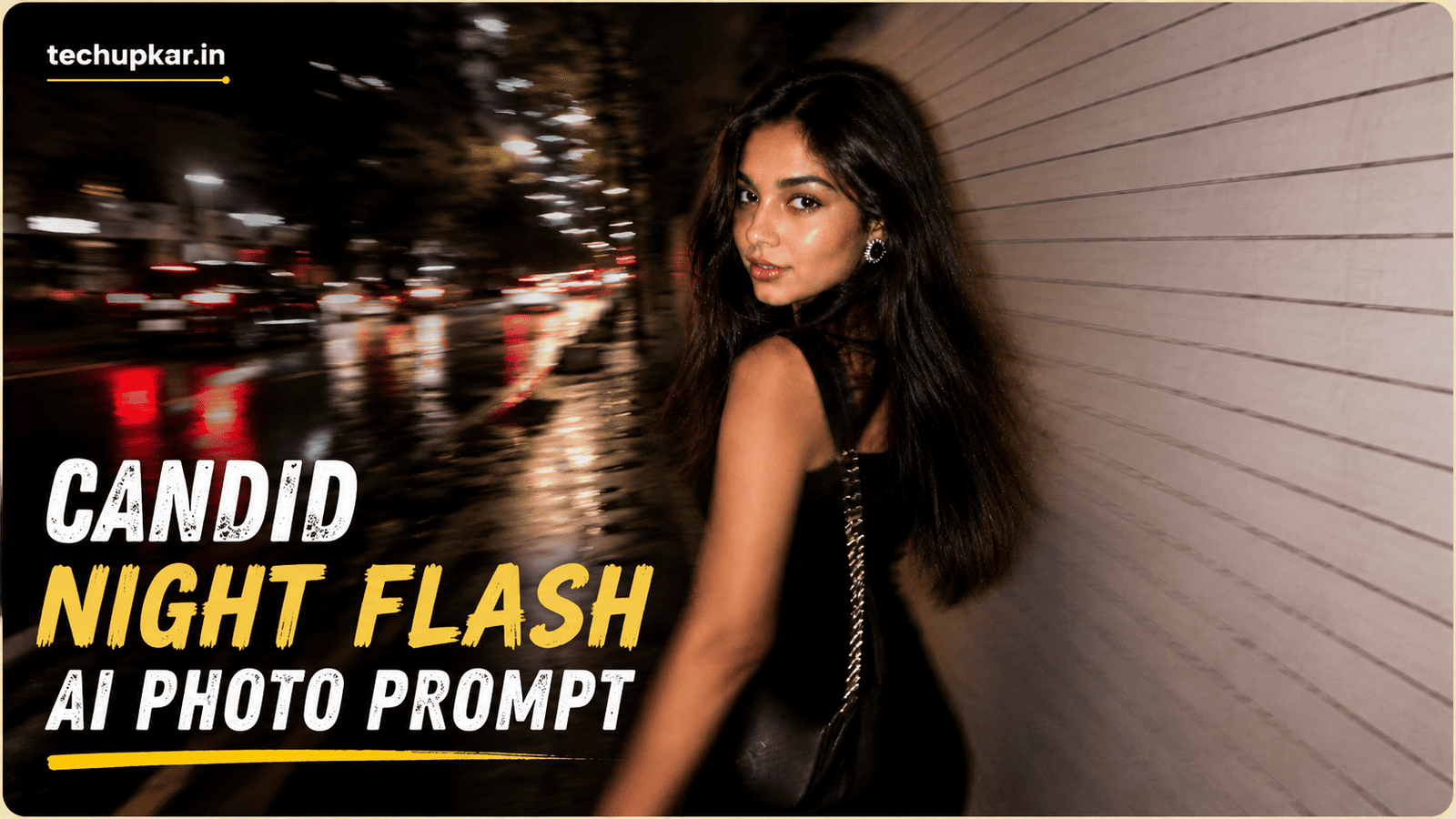
The Candid Night Flash AI Photo Prompt recreates one of 2026’s most-copied photo styles the rushed, flash-lit street snapshot that looks like someone caught you mid-walk and pressed the shutter too early. Blurred, noisy, slightly off-centre, and somehow far more appealing than a perfectly posed portrait.
The appeal is that it looks unplanned. Sharp, well-lit portraits read as content; a motion-blurred night flash photo reads as a memory. That is the whole trick, and it is why this style keeps spreading across Instagram and Pinterest.
Below are three versions of the prompt: a highly detailed one, a short one, and a balanced one. They produce noticeably different results, so it is worth understanding which to use before you paste. If you like this style, you may also enjoy our Aesthetic Collage AI Photo Prompt.
In this guide
- Why this photo style actually works
- Which of the three prompts should you use?
- Candid Night Flash AI Photo Prompt 1 (Maximum Blur)
- Candid Night Flash AI Photo Prompt 2 (Short Version)
- Candid Night Flash AI Photo Prompt 3 (Balanced)
- How to use these prompts
- How to customise the prompt for your own look
- Troubleshooting: fixing common bad results
- Frequently asked questions
Why This Photo Style Actually Works
Understanding the photography behind the look will help you write better prompts, so it is worth two minutes.
A real candid night flash photo has three things happening at once. The flash fires for a fraction of a second and freezes whatever is closest to the camera, which is why the face and a raised hand look bright and harsh while everything behind falls into darkness. The shutter stays open slightly longer to gather ambient light, so anything moving during that window smears into motion blur. And because the photo is taken in a hurry, the framing is imperfect, the horizon tilts, and the subject drifts toward the edge.
Most AI images fail at this because models are trained to produce clean, well-composed, flattering photographs. To get the candid look, the prompt has to actively ask for the imperfections: blur, noise, blown highlights, bad framing. That is why the prompts below spend so many words describing flaws rather than beauty.
This also explains the long negative prompt. Words like sharp focus, studio lighting, editorial, cinematic are exactly what the model wants to give you by default, so they have to be explicitly excluded.
Which Of The Three Prompts Should You Use?
All three produce the same broad style, but they trade off differently between realism and control.
- Prompt 1 (Maximum Blur) is the most extreme and the most realistic. The face is deliberately smeared by motion, so it genuinely looks like an accidental capture. Choose this if you want authenticity over a recognisable face. It is the hardest to get a “pretty” result from, which is the point.
- Prompt 2 (Short Version) is a compact prompt for quick generations and easy editing. Fewer instructions means the AI fills more gaps on its own, so results vary more between attempts. Good for experimenting fast.
- Prompt 3 (Balanced) keeps the face roughly 60 to 70 percent sharp while blurring hair, clothing and background. This is the version most people actually want: candid-looking but still clearly a portrait. Start here if you are unsure.
A practical approach is to run Prompt 3 first, and only move to Prompt 1 if the result still looks too polished.
A Note On Faces And Your Reference Photo
All three prompts deliberately instruct the AI to treat your uploaded image as inspiration only and to generate a person who is original and not identifiable. This is different from most prompts on this site, which lock your face in place.
That wording is intentional and we recommend keeping it. It avoids creating realistic images that impersonate a specific real person, which is both a platform-policy risk and a common reason edits get taken down. If you want a photo that clearly is you, this particular style is not the right choice a standard portrait prompt will serve you better.
Candid Night Flash AI Photo Prompt 1 (Maximum Blur)
The most detailed version. Heavy motion blur across the face and hand, flash-only lighting, and a Tokyo sidewalk setting. Expect raw, imperfect results, that is the intended outcome.
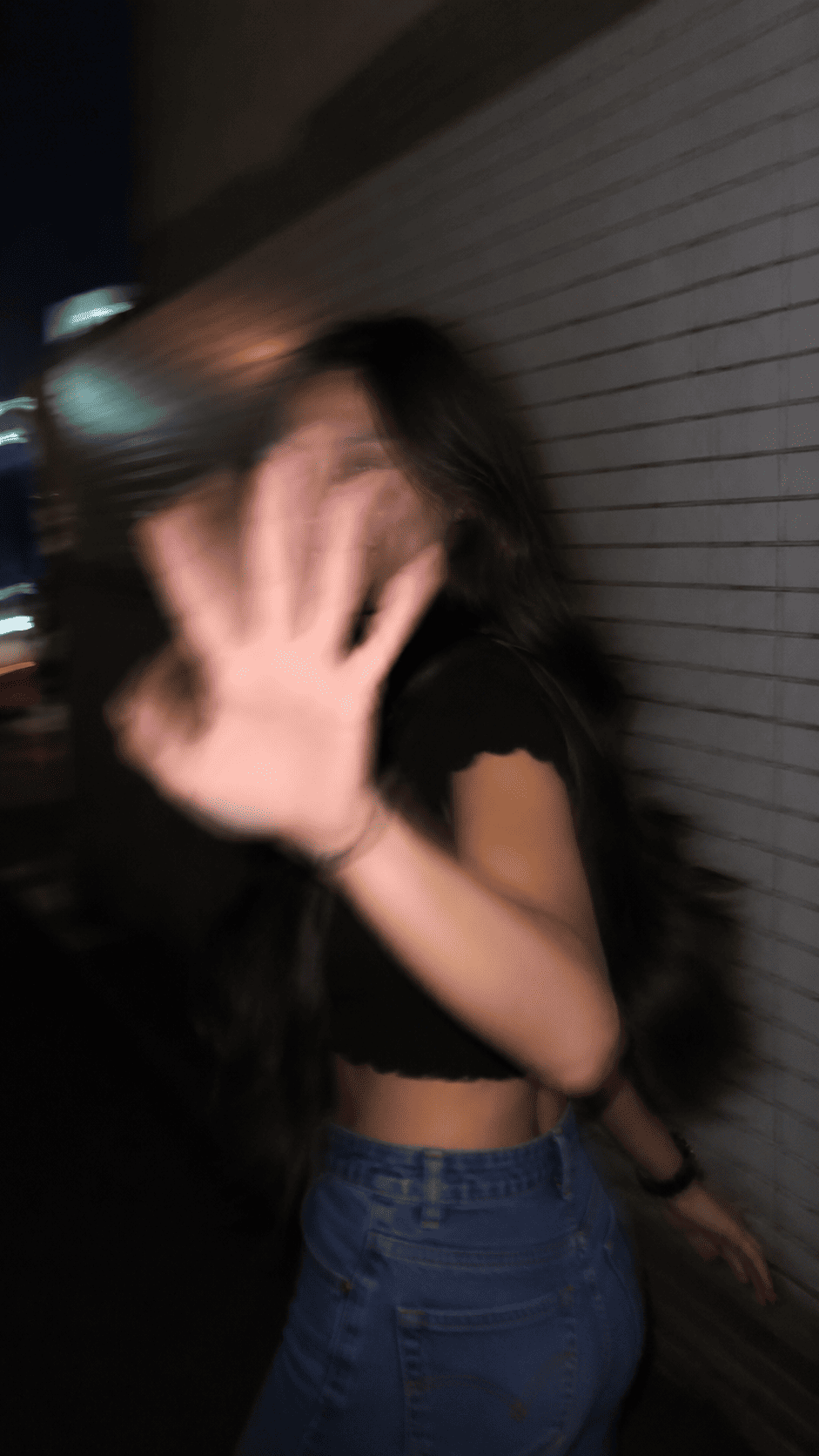
Ultra-realistic candid smartphone photograph, 9:16 vertical. Use the attached image only as a strong visual inspiration...Candid Night Flash AI Photo Prompt 2 (Short Version)
A compact version for fast generations. Easier to edit and remix, though results vary more because the AI fills in the missing details itself.
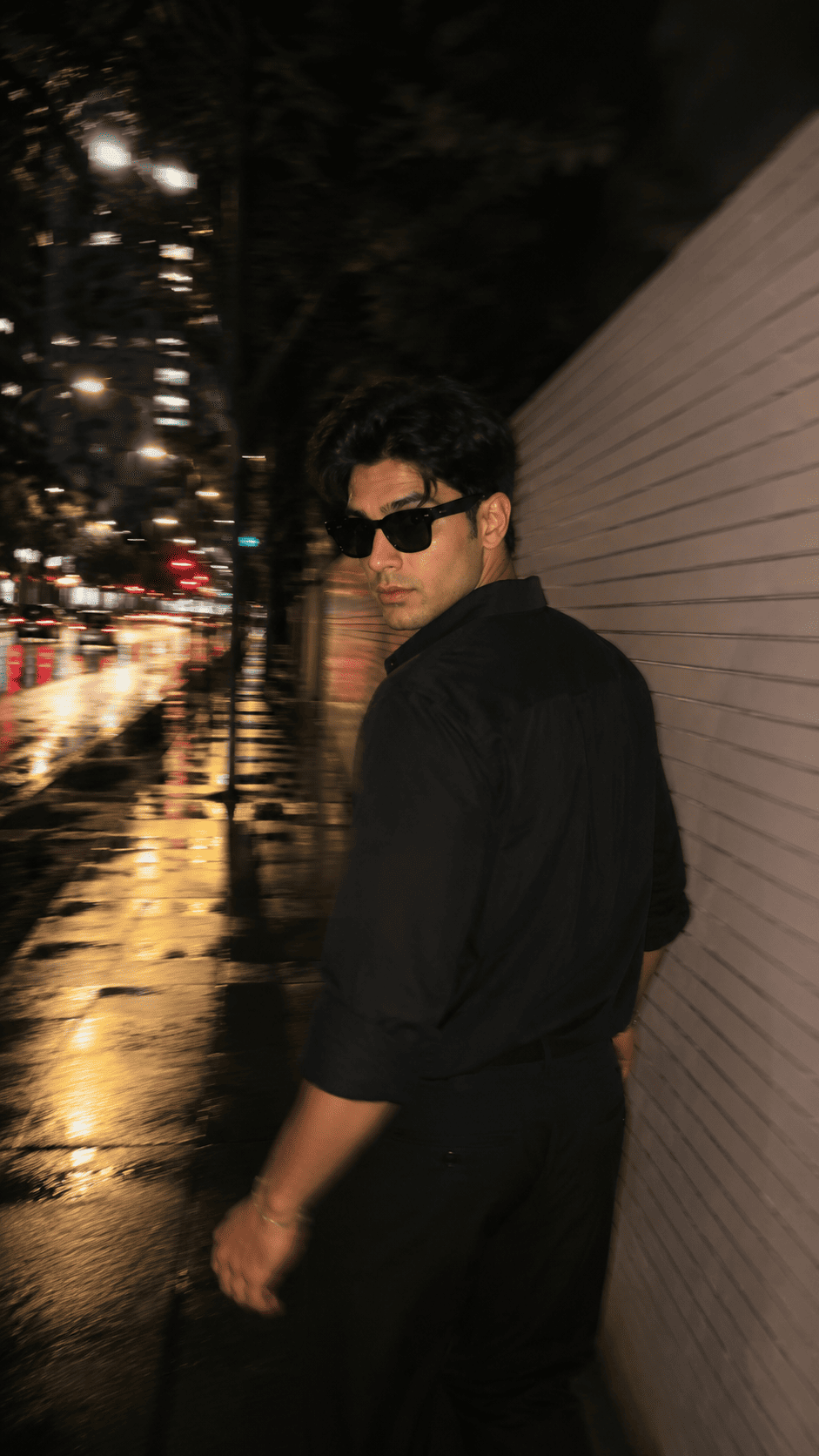
Ultra-realistic candid iPhone night photo, 9:16. Use the reference image only as inspiration for the subject's overall appearance...Candid Night Flash AI Photo Prompt 3 (Balanced)
The version most people will prefer. It keeps the face mostly sharp while blurring hair, clothing and background, so the photo still reads as a portrait rather than an accident. Start here.
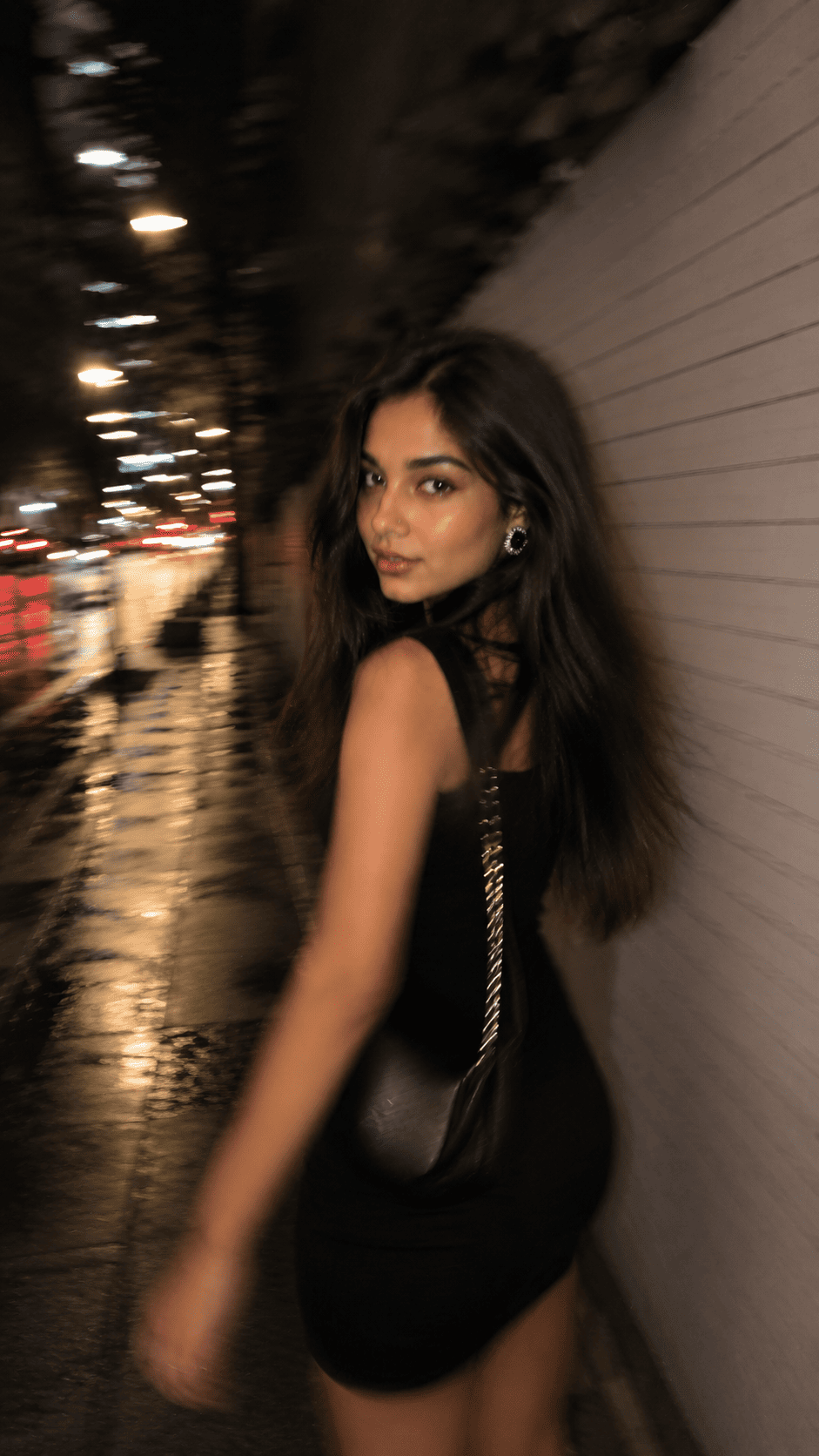
Ultra-realistic candid smartphone photograph, 9:16 vertical. Use the attached image only as inspiration for the subject's overall appearance...How To Use These Prompts
You will need ChatGPT with image generation enabled, or Google Gemini. Log in, click the “+” icon, and upload a reference photo.
Choose one prompt, paste it alongside your image, and send. Give it a moment, then download the result. If the first attempt looks too clean, do not rewrite the whole prompt just add a line such as “increase motion blur and reduce sharpness” and regenerate.
One detail worth knowing: these prompts are written for a vertical 9:16 frame because that is the native shape for Reels and Stories. If you want a square or landscape version, change the ratio in the first line rather than cropping afterwards, since cropping will cut into the imperfect framing that makes the style work.
How To Customise The Prompt For Your Own Look
These prompts are templates, not fixed recipes. The elements below are the ones worth changing, and they are safe to edit without breaking the style.
- Location. “Tokyo city sidewalk” can become any setting a metro station exit, a market street, a car park, a hotel corridor. Keep the words “at night” and a hard surface nearby, since the flash needs something to bounce off.
- Outfit. Swap the all-black outfit for anything you like, but keep it simple. Busy patterns compete with the motion blur and make the image look messy.
- Blur amount. The phrase “face remains about 60–70% sharp” is the dial. Lower it to 40% for a rawer look, raise it to 85% for a clearer face.
- Pose. “Turning her head back mid-walk” can become laughing while covering the face, adjusting a jacket, or stepping off a kerb. Any action mid-motion works; standing still does not.
- Do not remove the negative prompt. This is the most common mistake. Without it, the AI reverts to a polished studio-style portrait and the whole effect collapses.
Troubleshooting: Fixing Common Bad Results
If your output is not working, the problem is usually one of these four.
The photo looks too clean and posed. The negative prompt was removed or shortened. Add it back, and add “no professional photography, no studio lighting” explicitly.
The face is completely unrecognisable. You used Prompt 1, which is designed to smear the face. Switch to Prompt 3 and raise the sharpness figure to 75%.
The image looks fake or over-processed. Add “no HDR, no filters, no over-sharpening, realistic skin texture with visible pores” and remove any words like “cinematic” or “8K” if you added them.
The lighting looks flat. The flash is not being applied. State it plainly: “direct on-camera flash fired at the subject, harsh highlights on skin, background falls into darkness.”
Frequently Asked Questions
- Which app do I need for the Candid Night Flash AI Photo Prompt?
- ChatGPT with image generation enabled, or Google Gemini. Both accept an uploaded reference image alongside the prompt text.
- Why do these prompts say the person should not be identifiable?
- The prompts use your photo as a style reference rather than copying your face. This avoids producing realistic images that impersonate a specific real person, which most platforms restrict. If you want an image that clearly is you, use a standard portrait prompt instead.
- Which of the three prompts is best for beginners?
- Prompt 3. It balances a candid look with a face that stays mostly sharp, so results are usable more often than with the heavier blur of Prompt 1.
- Why does my result look too polished?
- Almost always because the negative prompt was removed. Those words are what stop the AI defaulting to clean studio-style photography.
- Can I use a daytime photo as my reference?
- Yes. The reference only guides general appearance the night setting and flash lighting are generated from the prompt itself.
- Is this style suitable for Instagram Reels and Stories?
- Yes. The 9:16 vertical ratio is built for Reels, Stories, and Shorts. For a feed post, change the ratio to 4:5 in the prompt rather than cropping.
Conclusion
The candid night flash look works because it breaks the rules of a good photograph on purpose. Blur, noise and bad framing are not mistakes here they are the entire effect, and any prompt that removes them removes the style along with it.
Start with Prompt 3, adjust the sharpness figure until it feels right, and only reach for Prompt 1 when you want something rawer. Browse more of our AI photo editing prompt collection for other styles, and tell us in the comments which of the three worked best for you.