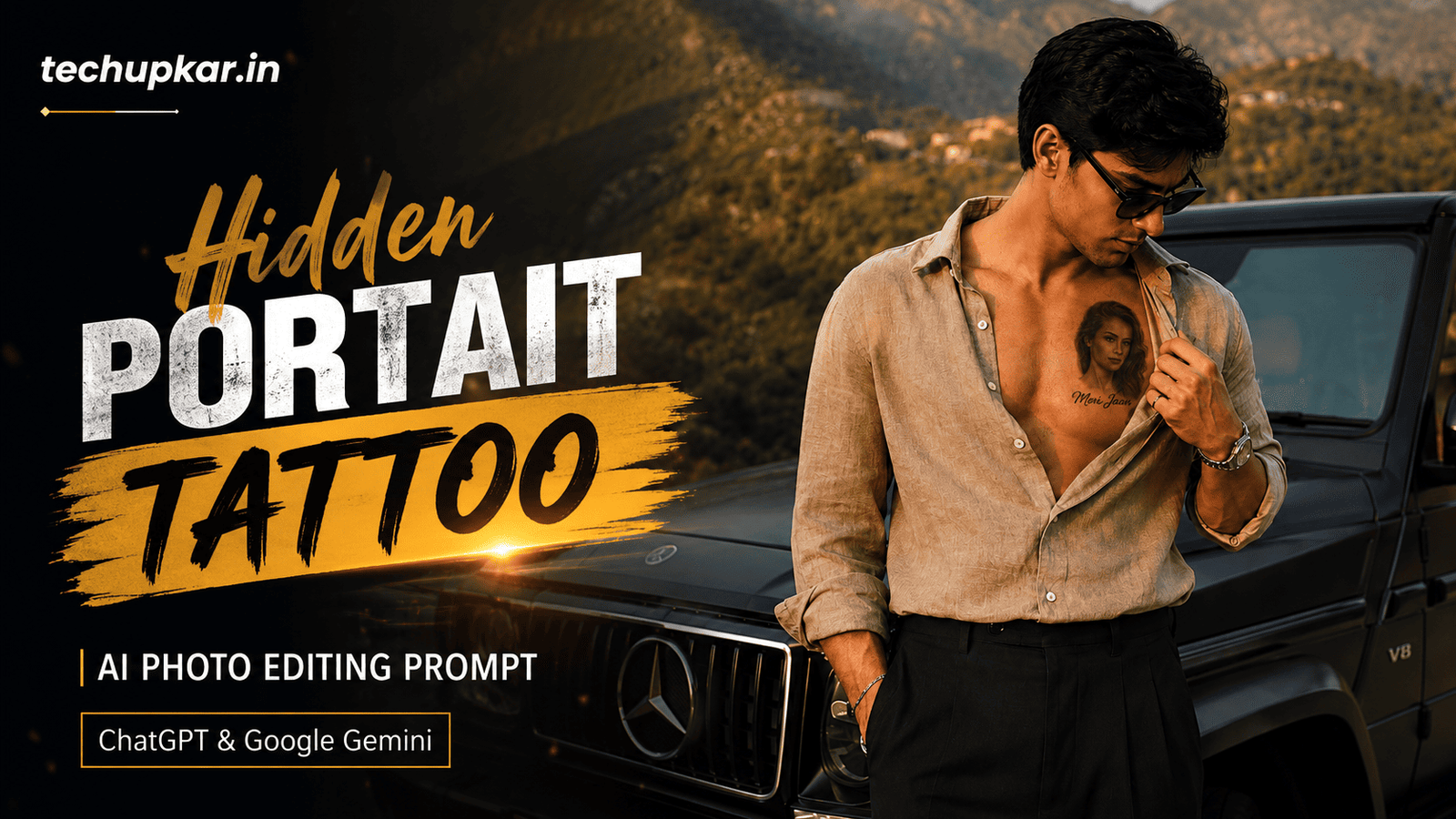
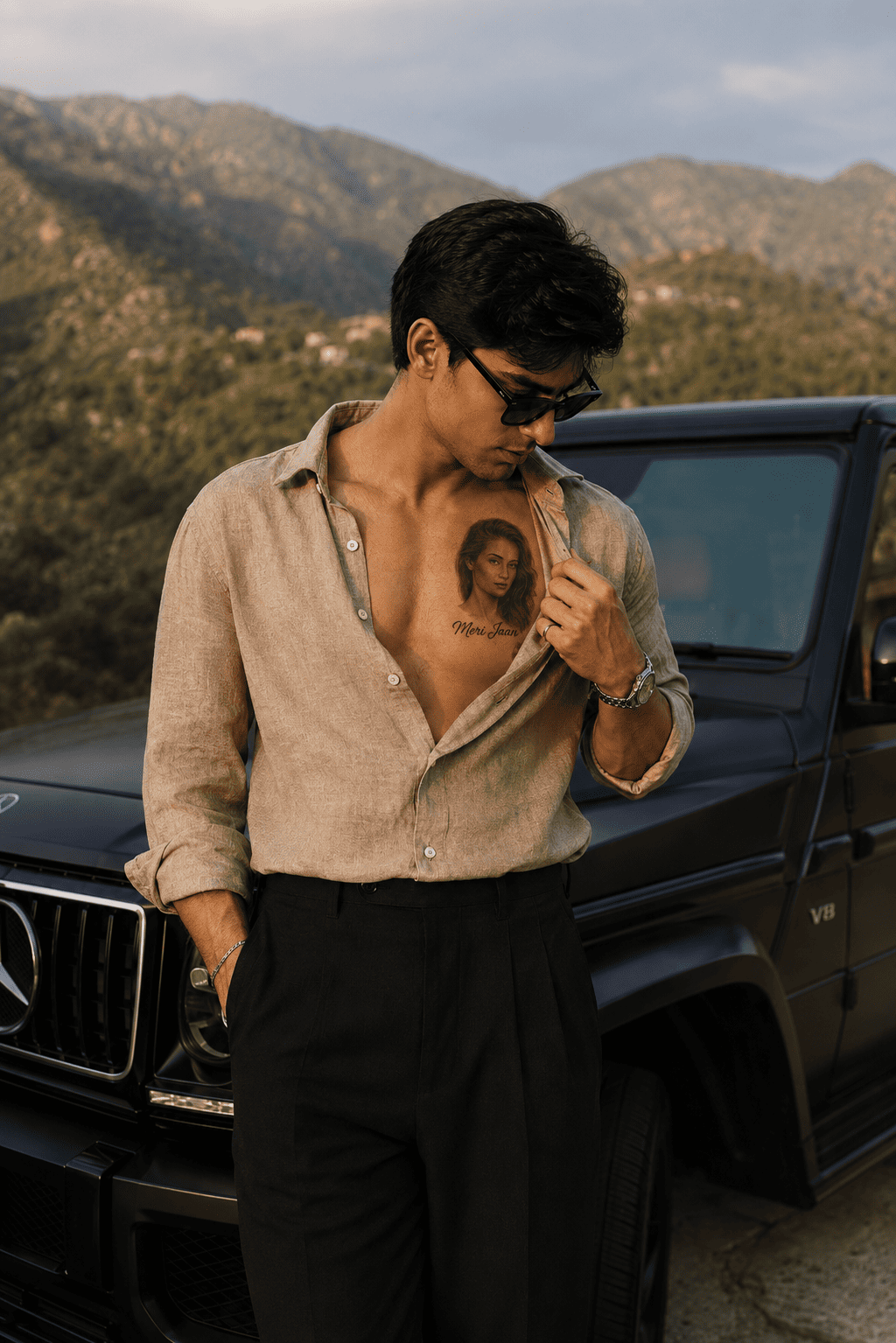
The Hidden Portrait Tattoo AI Prompt is one of the most emotional and visually stunning trends going viral on Instagram and Pinterest right now. It adds a hyper-realistic black-and-grey portrait tattoo of a loved one directly onto your chest in a full luxury editorial photo — standing beside a premium black SUV at golden hour, wearing a tailored linen shirt casually pulled open to reveal the tattoo, with the name “Meri Jaan” written in elegant cursive beneath it.
Some AI edits trend for a few days, but this one keeps growing because it tells a deeply personal story. It is the kind of image that makes people stop scrolling immediately. AI is widely used these days and Tech Upkar wants you to create yours without any editing skills. Simply open Google Gemini or ChatGPT, upload 2 photos — your own portrait and the portrait you want as the tattoo — paste the prompt below, and your cinematic tattoo edit will be ready in seconds.
This Tech Upkar Hidden Portrait Tattoo prompt includes a strict identity lock that preserves your face, hairstyle, skin tone, outfit, and pose 100% unchanged while the AI seamlessly inks a realistic portrait tattoo onto your chest with proper skin integration, shading, and authentic healed tattoo texture. If you enjoy this format, you will also love our Jagannath Ji Rath Yatra AI Photo Editing Prompt.
In this guide
A Quick Note Before You Start
This prompt requires you to upload 2 images — not 1. The first image is your own reference photo, which the AI uses to lock your face, hairstyle, skin tone, body, and outfit. The second image is the portrait you want tattooed on your chest — this can be a loved one, a family member, or anyone you have permission to use.
The prompt’s strict identity lock gives face preservation the highest priority, overriding every artistic instruction. Your appearance will not be changed in any way. Use a clear, well-lit, front-facing portrait for both uploads for the most accurate result. You can find unlimited AI prompts like this one on Tech Upkar.
Hidden Portrait Tattoo AI Prompt
Upload your own photo first, then upload the portrait you want as the tattoo. Then paste the complete prompt below alongside both images.
STRICT IDENTITY LOCK (HIGHEST PRIORITY) Use the uploaded reference image as the ONLY identity reference...
Tips For Better Results
- Upload 2 separate photos — your own clear portrait AND the portrait you want as the tattoo. Both must be uploaded before pasting the prompt.
- Use a high-resolution, well-lit front-facing photo for both uploads. Blurry or low-resolution images reduce accuracy significantly.
- Make sure your reference photo has the chest area visible and the shirt is not too heavily patterned — it helps the AI position the tattoo naturally.
- Use a clean, solo portrait for the tattoo reference — avoid group photos or images with complex backgrounds for the tattoo subject.
- If the AI changes your face, add this line at the very end: “ABSOLUTE PRIORITY: Do not alter the face, skin tone, or identity of the main subject under any circumstances.”
How To Use This Prompt
You will need the Google Gemini app or ChatGPT with image generation enabled.
After logging in with your Gmail account, tap the “+” icon and upload both photos — your own portrait first, then the tattoo portrait. Copy the full prompt above, paste it alongside the images, and hit send.
Your luxury editorial tattoo portrait will be generated within seconds. Download it and share it directly to Instagram, WhatsApp Status, or Pinterest.
Which Camera Or Phone Should You Choose?
A clear, well-lit portrait is all you need for a strong reference. Sony cameras are currently the top choice for reference shots due to their exceptional dynamic range and skin tone accuracy.
For a budget-friendly option, Nikon is a reliable pick, while Canon excels at both photo and video. For smartphones, iPhones, Samsung Galaxy phones, and Google Pixel phones all produce sharp, well-lit portraits that work perfectly as reference images.
If you do not yet own a quality camera, you can purchase one on EMI with a down payment and monthly instalments over 12 to 36 months. Once you have a good camera, every prompt you try on Tech Upkar will produce noticeably sharper and more realistic results.
Frequently Asked Questions
- What is the Hidden Portrait Tattoo AI trend?
- It is a viral AI editing style that adds a highly realistic black-and-grey portrait tattoo to your chest while keeping your original face, outfit, and identity completely unchanged.
- How many photos do I need to upload?
- You need to upload 2 photos — your own reference portrait so the AI locks your identity, and a second portrait of the person you want tattooed on your chest.
- Can I use ChatGPT for this prompt?
- Yes. Upload both your reference photo and the tattoo portrait, paste the complete prompt, and ChatGPT will generate the realistic tattoo edit.
- Does Google Gemini support this prompt?
- Yes. Google Gemini also supports detailed AI image prompts with multiple image uploads and can create the same realistic portrait tattoo effect.
- Will AI change my face or outfit?
- No. The prompt includes a strict identity lock set at the highest priority, instructing the AI to preserve your face, skin tone, hairstyle, outfit, and body proportions exactly as they appear in your reference photo.
- Can I use any portrait as the tattoo?
- Yes. You can use a portrait of a loved one, a family member, or any image you have permission to use. A clear, solo, front-facing portrait gives the best tattoo detail.
- Is this a real tattoo?
- No. This is a digital AI-generated photo edit only. It does not create a permanent tattoo — it only adds a realistic tattoo effect to your photo.
- Is this prompt free?
- Yes. Google Gemini and ChatGPT are free to use, and the prompt is completely free to copy and paste from Tech Upkar.
Conclusion
As you know, the prompts Tech Upkar shares are always unique and highly effective, delivering working results every time. This Hidden Portrait Tattoo AI prompt for Google Gemini and ChatGPT is one of the most emotionally powerful edits you can create right now.
All you need is 2 clear photos and a single paste — the AI does the rest. Browse more of our AI photo editing prompt collection for fresh viral ideas, and if you run into any issues while generating, drop a comment below and we will help you out.