
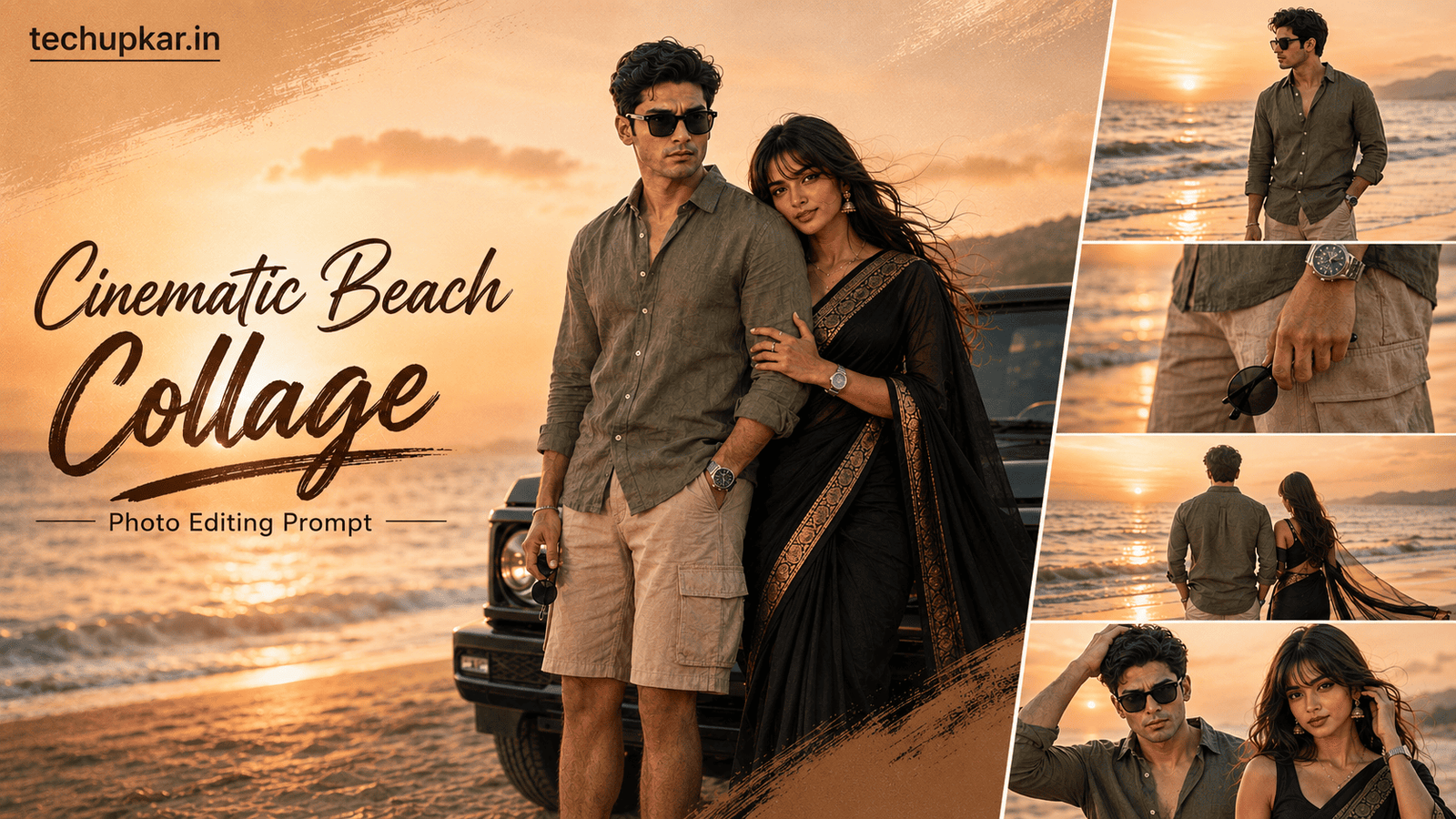
The Cinematic Beach Collage AI Prompt is one of 2026’s hottest photo editing trends a polished 4-photo sunset beach collage that looks like a professional reel cover, complete with golden lighting, ocean waves, and fashion-editorial styling. Getting this look takes no DSLR and no photoshoot on the coast, just one prompt and a clear selfie.
AI tools are everywhere now, and Tech Upkar wants you to use that to your advantage and finish creative edits in seconds. To try it, open ChatGPT, upload a clear photo of yourself, copy one of the prompts below, and paste it alongside your image. Your beach collage is ready within moments ready to download and share on social media.
These Tech Upkar prompts turn one ordinary picture into a stacked collage of four cinematic beach frames with realistic skin texture, warm color grading, and shallow depth of field. The style is trending hard right now, and posting your own version is a real chance to go viral. If you like this format, you may also enjoy our Cinematic Overhead Shot AI Prompt.
In this guide
A Quick Note Before You Start
Both prompts below use your uploaded reference photo to build the sunset beach collage around your own face. For the most accurate result, pick a clear, front-facing, well-lit photo where your features are easy to see. Each prompt is written to preserve your face exactly, so a sharp reference gives the most natural final edit.
You do not need any editing skill or paid software to follow along. Everything here is a straight copy-and-paste job, and you can find unlimited AI prompts like this Cinematic Beach Collage AI Prompt across Tech Upkar.
Cinematic Beach Collage AI Prompt 1 (Male)
This first version is built for a male reference photo an olive linen shirt, cargo shorts, and four relaxed sunset poses stacked into an Instagram reel cover. Upload a clear photo of yourself first, then paste the prompt below alongside it.
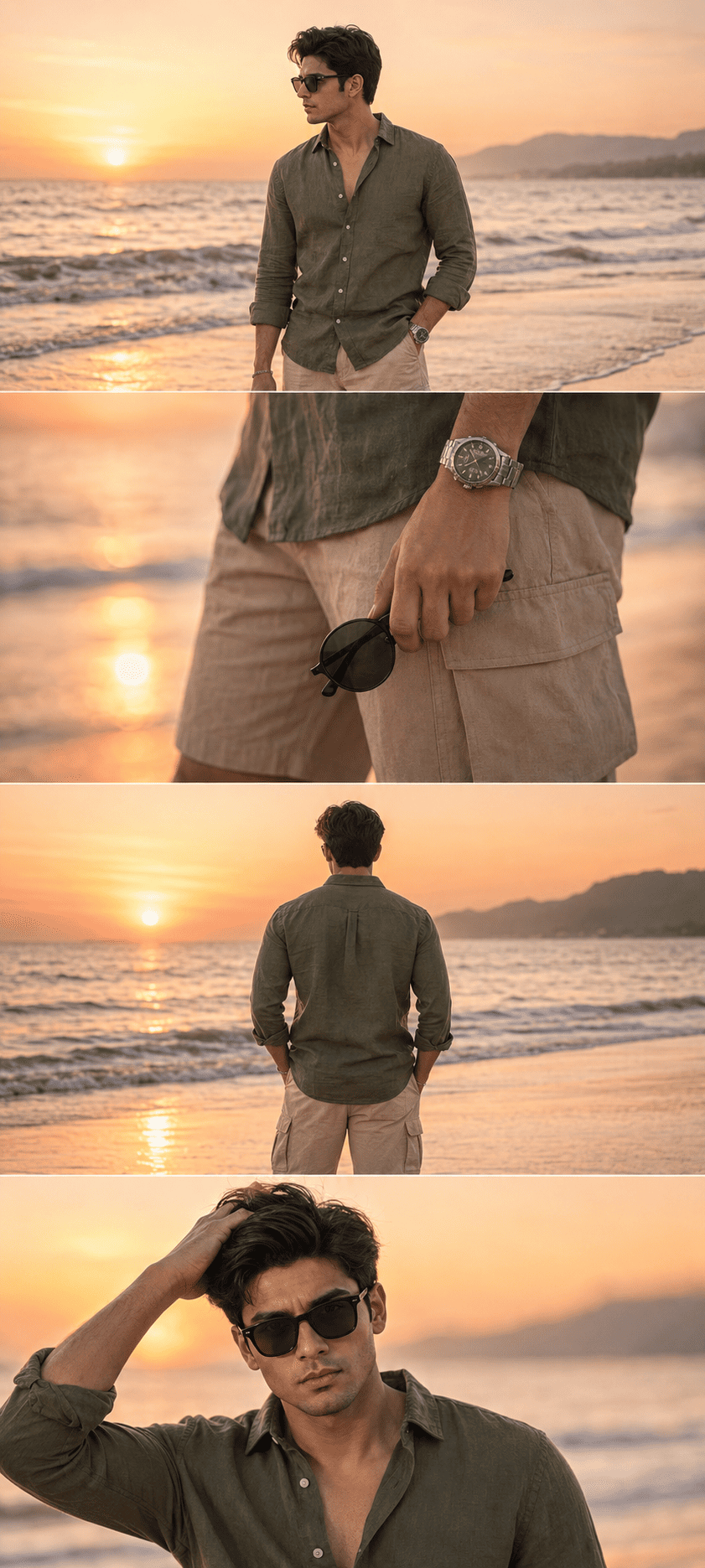
Ultra-realistic DSLR cinematic beach photoshoot collage featuring the SAME person from the uploaded reference image...Cinematic Beach Collage AI Prompt 2 (Female)
Want a premium, fashion-editorial version of the Cinematic Beach Collage AI Prompt? This second option is styled for a female reference photo an elegant black silk saree with gold zari border and flowing pallu, across four luxury sunset frames.
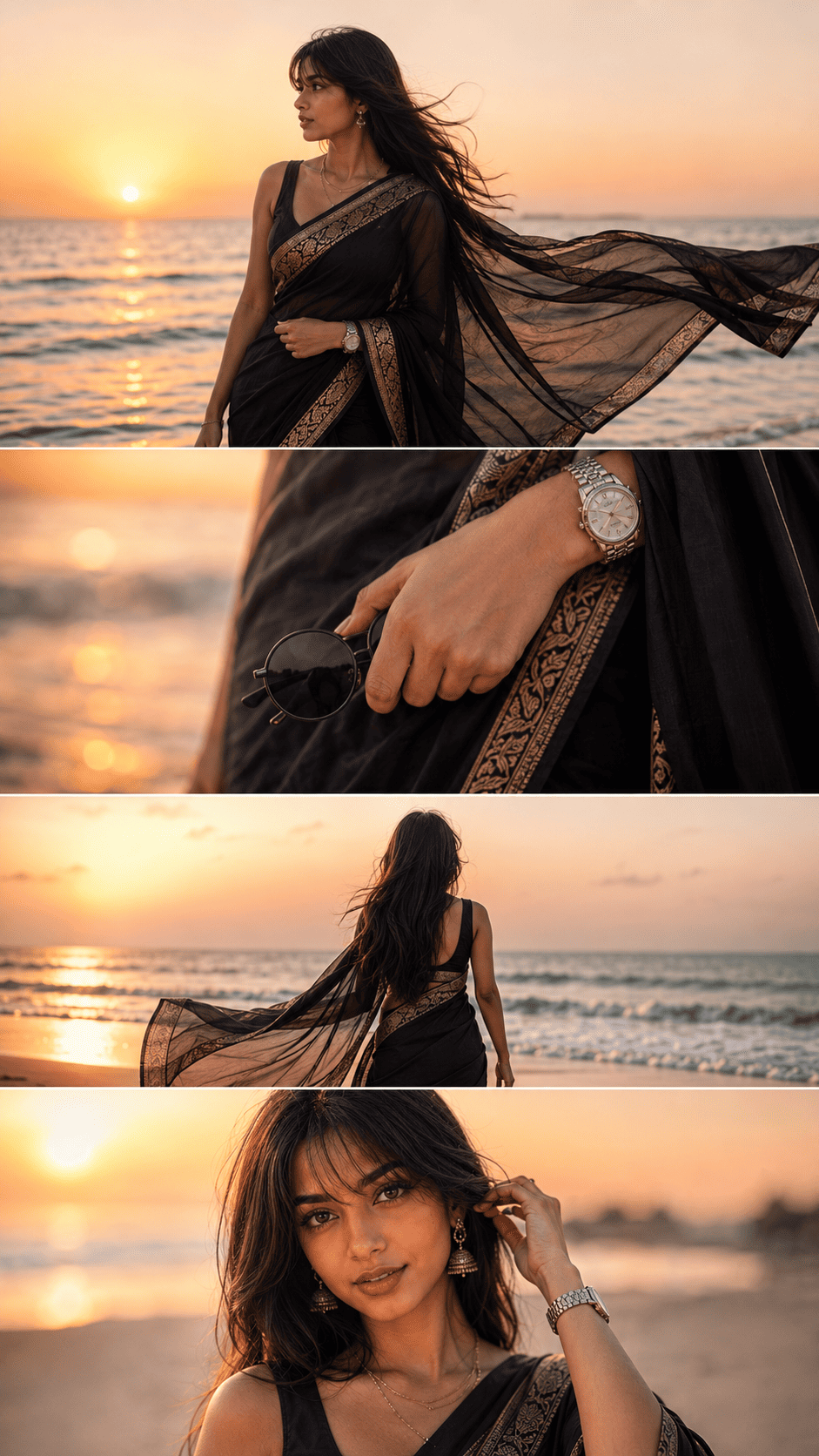
Ultra-realistic DSLR cinematic beach photoshoot collage featuring the same woman from the uploaded reference image...How To Use This Cinematic Beach Collage AI Prompt
To create this look you will need ChatGPT with image generation enabled. Log in with your Gmail account, then click the “+” icon to upload a clear photo of yourself.
Next, copy whichever prompt matches your photo male or female from above, paste it alongside your image, and hit send. Wait a few moments for the collage to generate, then download it once it is ready. If the first result is not perfect, send “regenerate” or tweak one detail such as the outfit or aspect ratio and try again.
Tips For The Best Cinematic Beach Collage Result
- Use a high-resolution reference. A sharp, front-facing photo helps the AI keep your face accurate across all four collage frames.
- Keep the reference background simple. A plain wall lets the AI focus on your face rather than clutter behind you.
- Do not remove the negative prompt. The negative-prompt lines are what stop distorted faces, extra fingers, and over-smoothed skin keep them in.
- Stick to the given aspect ratio (1080×1350 or 1080×1440) so the stacked reel-cover layout stays balanced for Instagram.
- Change one thing at a time. Adjust only the outfit or a single pose per regenerate so the AI does not rebuild the whole collage.
Follow these tips and your Cinematic Beach Collage AI Prompt result will look closer to a real sunset photoshoot than a quick phone edit which is exactly what makes this trend perform so well on Reels and Stories.
Frequently Asked Questions
- Which app do I need for the Cinematic Beach Collage AI Prompt?
- You need ChatGPT with image generation enabled. Log in with your Gmail account, upload a clear photo of yourself, and paste the prompt to generate the collage.
- What is the difference between Prompt 1 and Prompt 2?
- Prompt 1 is styled for a male reference photo with a casual olive linen outfit. Prompt 2 is a premium female version with a black silk saree and luxury editorial styling.
- Will the AI keep my real face?
- Yes. Both prompts include strong face-preservation and negative-prompt lines that tell the AI to keep your exact features and avoid beautifying or changing your face.
- Is this Cinematic Beach Collage AI Prompt free to use?
- Yes. ChatGPT is free to use, and the prompts themselves are free to copy and paste from Tech Upkar.
- Is this trend good for Instagram Reels and YouTube Shorts?
- Yes. This cinematic sunset collage style is especially popular on Instagram Reels, YouTube Shorts, Pinterest, and Facebook.
Conclusion
As you already know, the prompts Tech Upkar shares are unique, tested, and built to deliver working results. This Cinematic Beach Collage AI Prompt for ChatGPT is one of the best in the collection every detail is written for you, so all you do is upload your photo and generate. Browse more of our AI photo editing prompt collection for fresh ideas, and if you hit any issue during the process, drop a comment and let us know.