
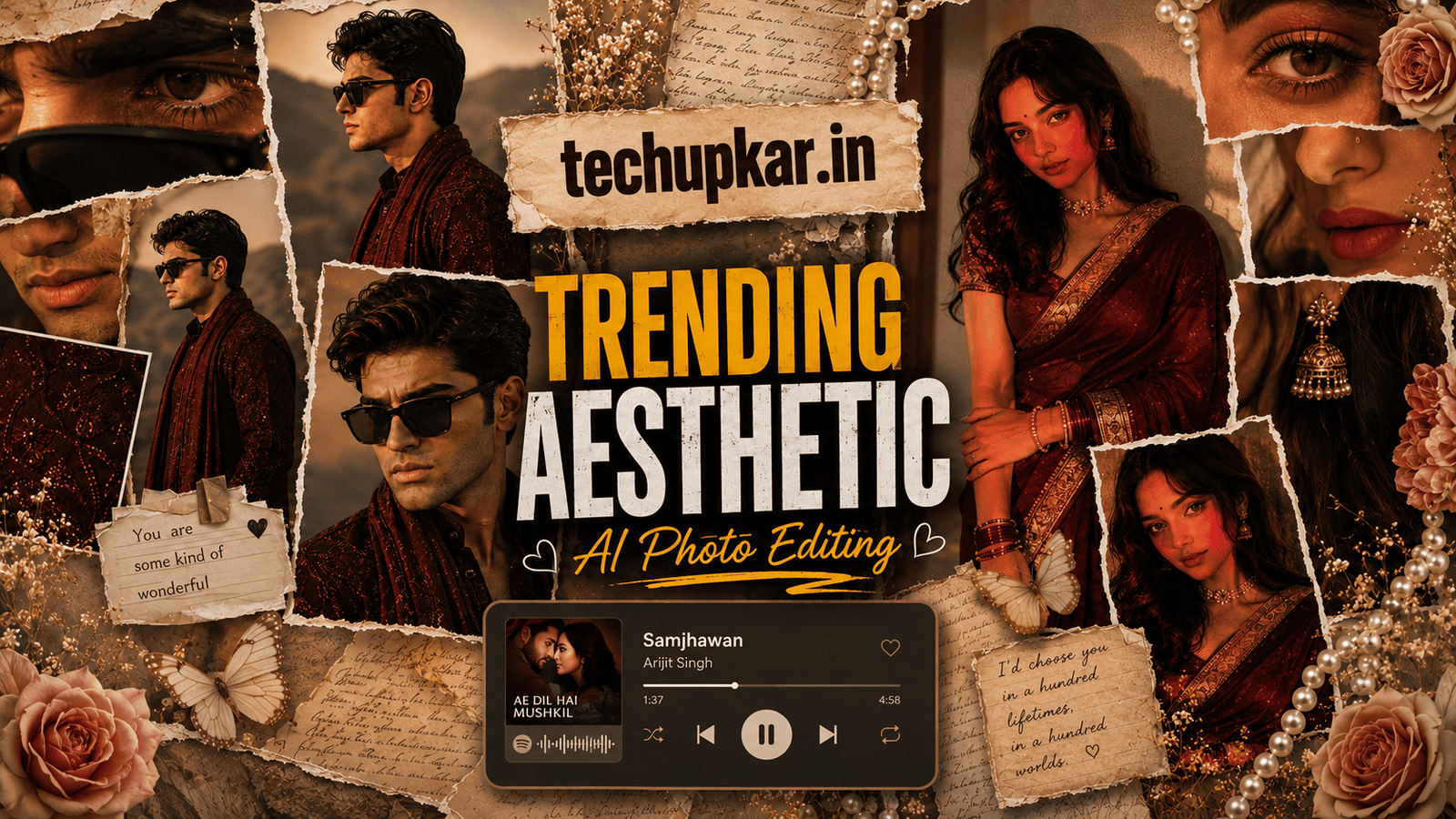
The Aesthetic Collage AI Photo Prompt is one of 2026’s most popular photo editing trends a dreamy, Pinterest-style portrait collage with overlapping frames, soft flowers, golden lighting, and even a music-card overlay. Getting this premium editorial look takes no design software and no photoshoot, just one prompt and a clear photo of yourself.
AI tools are everywhere now, and Tech Upkar wants you to use that to your advantage and finish creative edits in seconds. To try it, open ChatGPT, upload a clear photo of yourself, copy one of the prompts below, and paste it alongside your image. Your aesthetic collage is ready within moments ready to download and share on social media.
These Tech Upkar prompts turn one ordinary portrait into a handcrafted collage of close-up frames with warm color grading, realistic skin texture, and soft botanical decoration. The style is trending hard right now, and posting your own version is a real chance to go viral. If you like this format, you may also enjoy our Cinematic Beach Collage AI Prompt.
In this guide
A Quick Note Before You Start
Both prompts below use your uploaded reference photo to build the aesthetic collage around your own face. For the most accurate result, pick a clear, front-facing, well-lit photo where your features are easy to see. Each prompt is written to preserve your face exactly, so a sharp reference gives the most natural final edit.
You do not need any editing skill or paid software to follow along. Everything here is a straight copy-and-paste job, and you can find unlimited AI prompts like this Aesthetic Collage AI Photo Prompt across Tech Upkar.
Aesthetic Collage AI Photo Prompt 1 (Warm Editorial)
This first version is a warm, golden-hour collage in a maroon embroidered kurta multiple close-up frames arranged in a stylish Instagram layout with soft lilies and a subtle music overlay. Upload a clear photo of yourself first, then paste the prompt below alongside it.
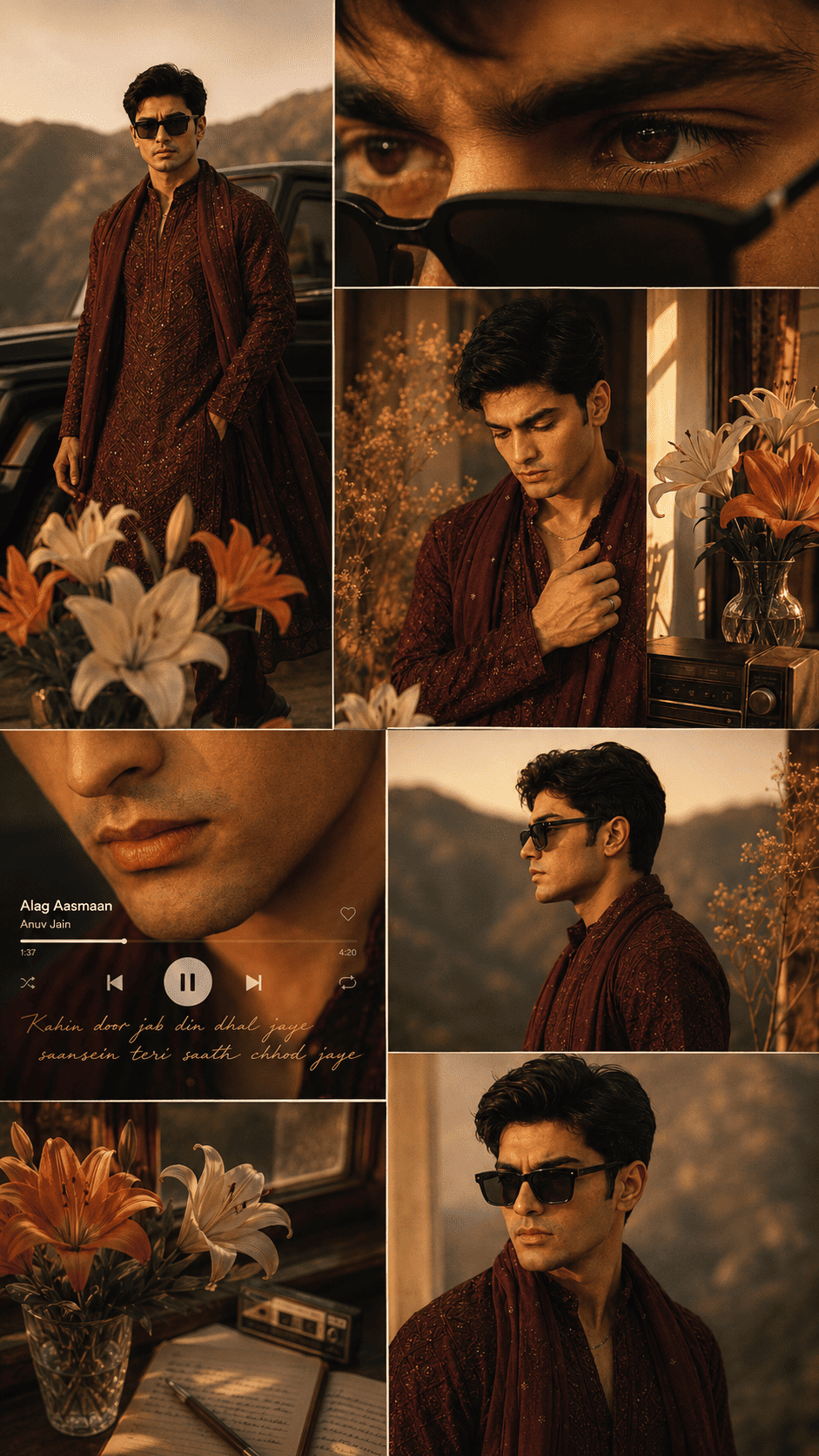
Create a warm cinematic editorial collage of the reference person, preserving the face exactly...Aesthetic Collage AI Photo Prompt 2 (Pinterest Luxury)
Want a premium, Pinterest-worthy version of the Aesthetic Collage AI Photo Prompt? This second option builds an overlapping scrapbook collage in a magenta saree with roses, pearls, butterflies, and a realistic Spotify-style music card at the bottom.
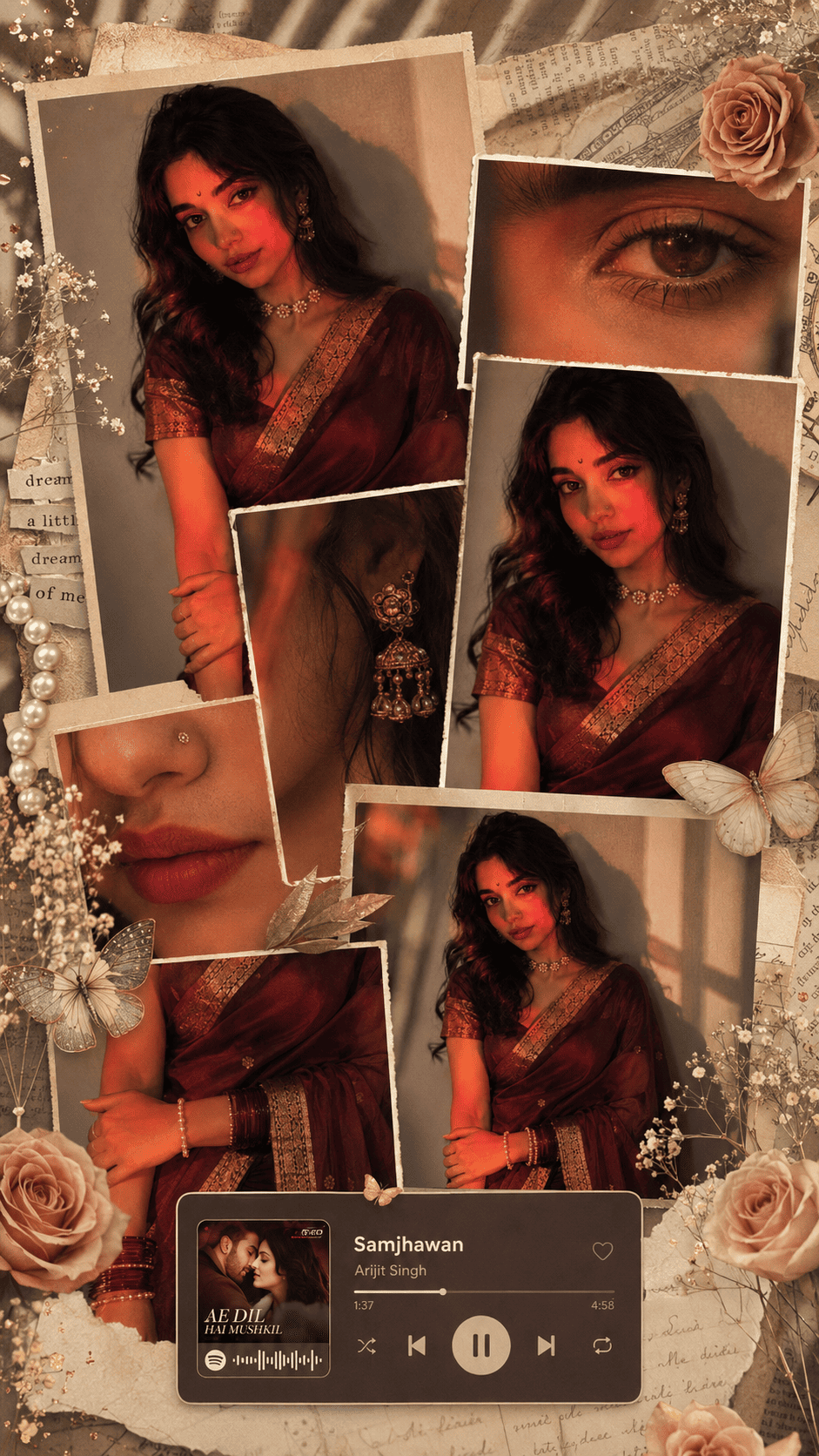
Transform this image into an ultra-premium luxury editorial collage while preserving the girl's face...How To Use This Aesthetic Collage AI Photo Prompt
To create this look you will need ChatGPT with image generation enabled. Log in with your Gmail account, then click the “+” icon to upload a clear photo of yourself.
Next, copy whichever prompt you like from above, paste it alongside your photo, and hit send. Wait a few moments for the collage to generate, then download it once it is ready. If the first result is not perfect, send “regenerate” or tweak one detail such as the outfit color, flowers, or the music card and try again.
Tips For The Best Aesthetic Collage Result
- Use a high-resolution reference. A sharp, front-facing photo helps the AI keep your face accurate across every close-up frame in the collage.
- Keep the reference background simple. A plain wall lets the AI focus on your face rather than clutter behind you.
- Keep the face-preservation lines. The “preserve face exactly” and “no facial modifications” instructions are what stop the AI from changing your features leave them in.
- Change the music card if you want. You can swap the song and artist in Prompt 2 to any track for a personal touch.
- Edit one element at a time. Adjust only the outfit, flowers, or tone per regenerate so the AI does not rebuild the whole collage.
Follow these tips and your Aesthetic Collage AI Photo Prompt result will look closer to a real magazine editorial than a quick phone edit which is exactly what makes this trend perform so well on Pinterest and Instagram.
Frequently Asked Questions
- Which app do I need for the Aesthetic Collage AI Photo Prompt?
- You need ChatGPT with image generation enabled. Log in with your Gmail account, upload a clear photo of yourself, and paste the prompt to generate the collage.
- What is the difference between Prompt 1 and Prompt 2?
- Prompt 1 is a warm golden-hour editorial collage in a maroon kurta. Prompt 2 is a premium Pinterest-style saree collage with flowers, pearls, and a Spotify-style music card.
- Will the AI keep my real face?
- Yes. Both prompts include strong face-preservation lines that tell the AI to keep your exact features and avoid beautifying or changing your face.
- Is this Aesthetic Collage AI Photo Prompt free to use?
- Yes. ChatGPT is free to use, and the prompts themselves are free to copy and paste from Tech Upkar.
- Is this trend good for Instagram and Pinterest?
- Yes. This aesthetic collage style is especially popular on Pinterest, Instagram, YouTube thumbnails, and Facebook.
Conclusion
As you already know, the prompts Tech Upkar shares are unique, tested, and built to deliver working results. This Aesthetic Collage AI Photo Prompt for ChatGPT is one of the best in the collection every detail is written for you, so all you do is upload your photo and generate. Browse more of our AI photo editing prompt collection for fresh ideas, and if you hit any issue during the process, drop a comment and let us know.