
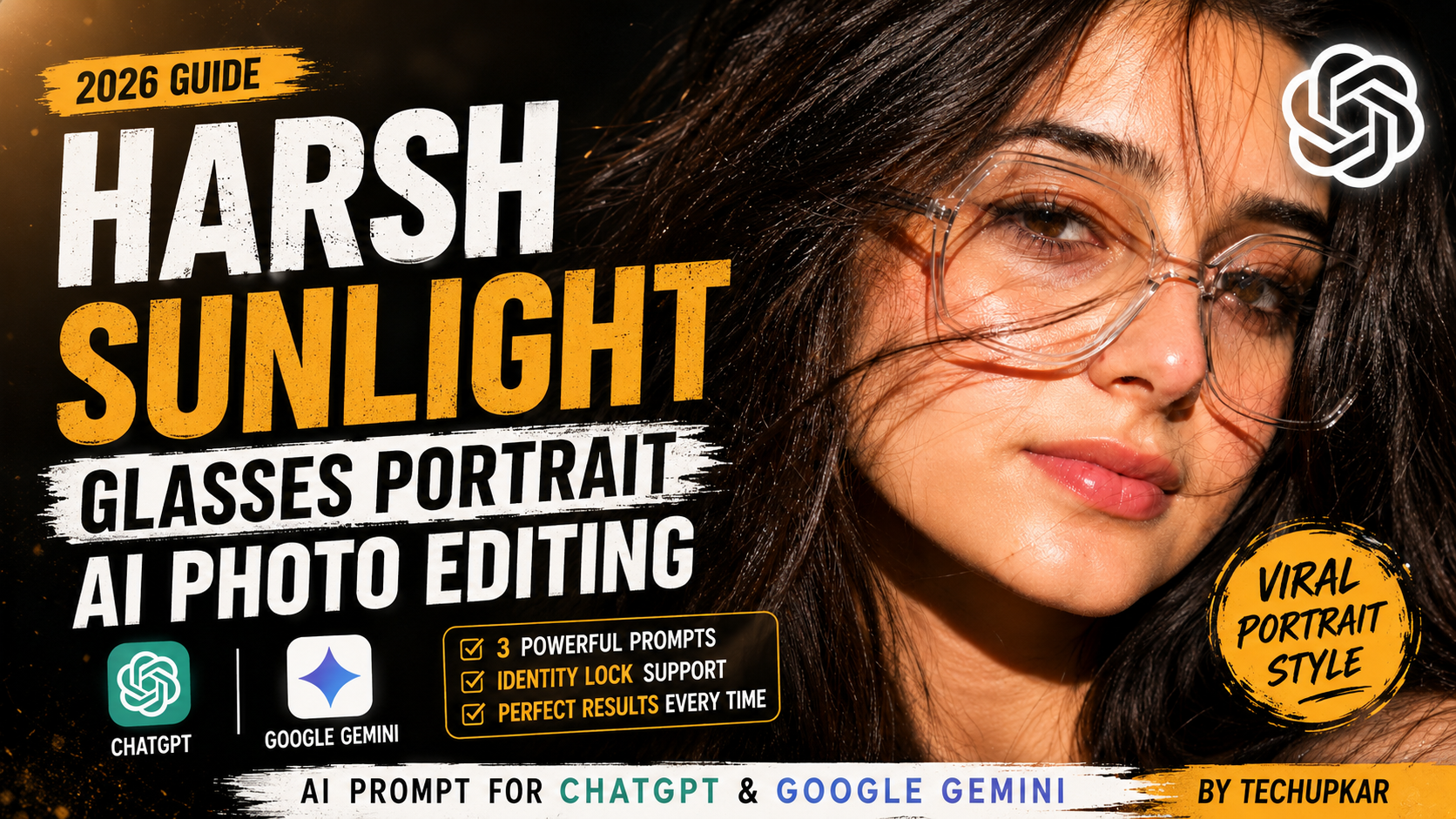
The Harsh Sunlight Glasses Portrait AI photo editing prompt is the exact text you need to turn any daylight selfie into a sun-drenched, editorial-style close-up — no photographer, no studio lighting, and no editing skills required. Some portraits don’t need soft studio light or a curated backdrop to stop the scroll. A little harsh midday sun, a pair of oversized glasses, and hair caught mid-motion can do more than any filter ever could.
That raw, sun-drenched close-up look is exactly what this Harsh Sunlight Glasses Portrait AI photo editing prompt recreates. Instead of softening every shadow, it leans into the contrast — bright highlights across the cheekbones, deep shadow pockets under the hair, and a gaze that cuts straight through the glare.
With ChatGPT, Google Gemini, and similar AI image tools, getting this exact editorial finish takes one clear photo and a well-built prompt. Below you’ll find three ready-to-copy versions of the Harsh Sunlight Glasses Portrait AI photo editing prompt, including one built for a male subject with a custom signature overlay, plus step-by-step instructions for both ChatGPT and Gemini.
In this guide
- Why harsh sunlight portraits go viral
- What is the Harsh Sunlight Glasses Portrait AI photo editing prompt?
- Where this style works best
- Tips before you generate
- Prompt 1: Harsh Sunlight Glasses Portrait
- Prompt 2: Harsh Sunlight Glasses Portrait (identity lock)
- Prompt 3: Moody Golden Light Signature Portrait
- How to use this prompt in ChatGPT
- How to use this prompt in Google Gemini
- Common mistakes to avoid
- Customizing the prompt for your own style
- Why the AI sunlight close-up portrait trend is everywhere right now
- Frequently asked questions
Why Harsh Sunlight Portraits Go Viral
Most edited portraits chase flattering, even light. This trend does the opposite — it trusts real midday sun to carve out contrast, texture, and mood in a single frame. That unpolished honesty is exactly why it feels different from the usual feed, and it’s a big part of why the Harsh Sunlight Glasses Portrait AI photo editing prompt has spread so quickly across Instagram and Pinterest.
The transparent glasses add a modern, almost editorial layer, catching stray light and reflections. Paired with hair blown across the face, the shot reads as spontaneous even though every detail is deliberately placed. It’s the same principle high-fashion photographers rely on when they shoot outdoors at noon instead of waiting for golden hour — strong overhead light can be used creatively instead of avoided, and this prompt bakes that idea directly into the instructions you give the AI.
What Is the Harsh Sunlight Glasses Portrait AI Photo Editing Prompt?
In simple terms, it’s a block of descriptive text you paste into an AI image tool alongside your photo. The prompt tells the model exactly how to relight your face, how the glasses should catch the sun, how the hair should move, and what camera and lens characteristics to imitate. Because AI image generators respond almost entirely to the words you feed them, a vague prompt like “make this look cool” will never produce the same result as a precise one that specifies light direction, lens type, and mood.
That’s the whole purpose of this guide — to hand you a prompt that has already been tested, refined, and proven to produce the harsh-sunlight, glasses-forward look consistently, rather than making you guess at the wording yourself.
Where This Style Works Best
This look fits Instagram Reels covers, profile pictures, Pinterest boards, fashion lookbooks, YouTube thumbnails, and personal branding pages. The strong contrast and sharp focus make it read well even at small thumbnail sizes, which is exactly why creators keep reusing the Harsh Sunlight Glasses Portrait AI photo editing prompt for cover art rather than a plain headshot.
Tips Before You Generate the Image
- Use a bright, high-resolution reference photo taken in daylight if possible — the AI has an easier time matching harsh sunlight when your source photo already has some natural light in it.
- Make sure the eyes and glasses are clearly visible in the source image, since the model relies on those details to preserve your identity.
- Avoid heavily filtered or low-contrast originals; flat, hazy photos give the AI less information to build sharp highlights and shadows from.
- Describe light direction and shadow behavior explicitly in your prompt — words like “overhead,” “side-lit,” or “backlit” change the result significantly.
- Add strict face-preservation lines if you want your likeness protected (see Prompt 2 and Prompt 3 below).
- Crop your reference photo to a close-up before uploading. Wide, full-body shots often confuse the model and dilute the intended extreme close-up framing.
Harsh Sunlight Glasses Portrait AI Photo Editing Prompt (Copy & Paste)
Pair this prompt with your uploaded photo for a sun-drenched, high-contrast close-up with sharp glasses detail and windblown hair. This is the base version of the Harsh Sunlight Glasses Portrait AI photo editing prompt, and it works well when you’re not too concerned about locking your exact facial features and just want the aesthetic.
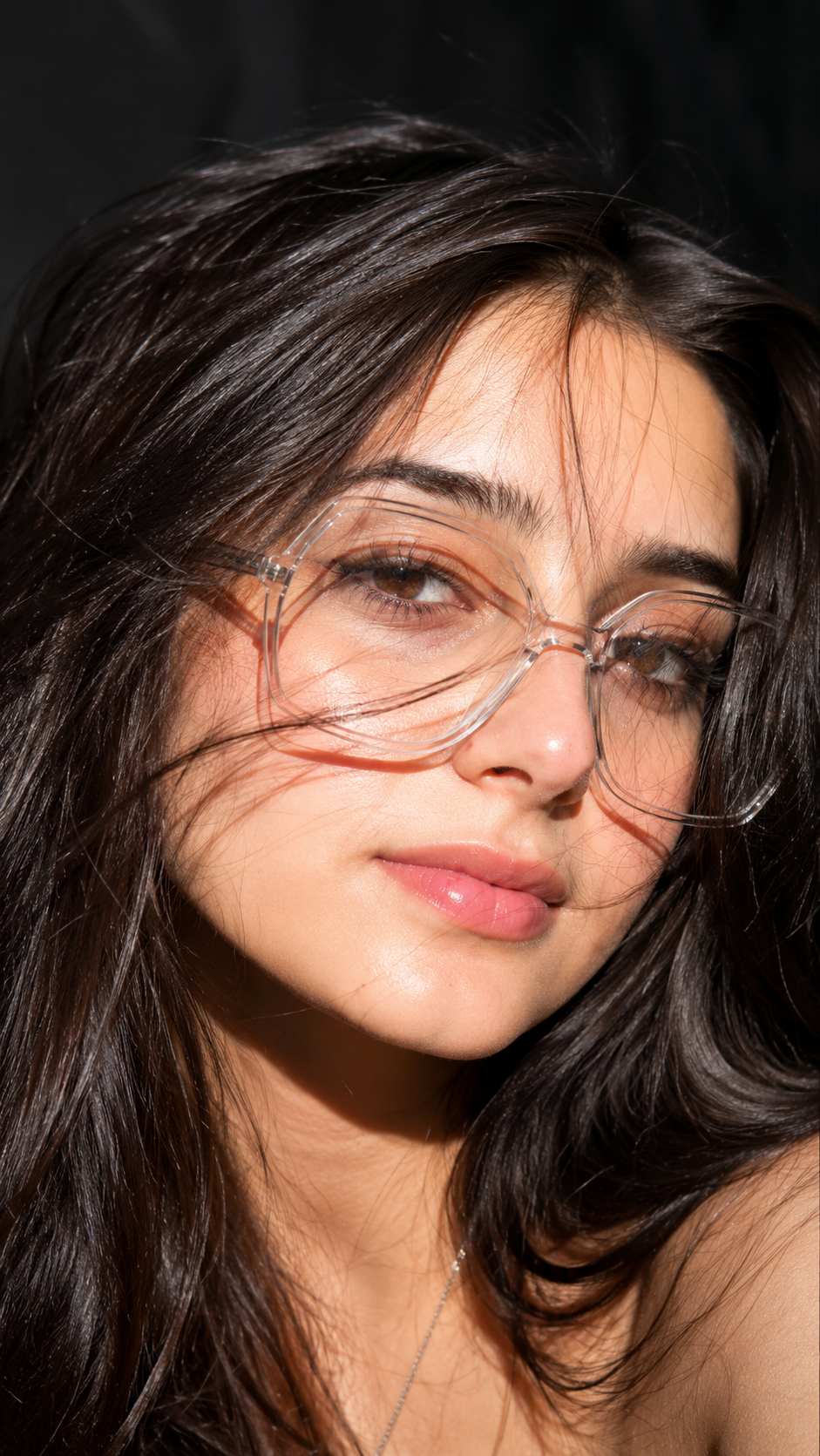
Ultra-realistic extreme close-up beauty portrait of a young woman in harsh midday sunlight, head tilted sideways and slightly back, direct gaze at camera, large transparent geometric glasses, long dark-brown hair flowing across the face creating natural shadow patterns, glossy pink lips, flawless realistic skin texture, defined lashes, natural brows, dramatic sunlight highlights, dark blurred background, DSLR 85mm lens, shallow depth of field, sharp focus, photorealistic, HDR, luxury.
Notice how specific the language is: “DSLR 85mm lens” tells the model to imitate the shallow depth of field of a portrait lens, while “dramatic sunlight highlights” pushes the contrast rather than smoothing it out. Small wording choices like these are what separate a generic AI portrait from one that actually matches the Harsh Sunlight Glasses Portrait AI photo editing prompt look.
Harsh Sunlight Glasses Portrait With Strict Identity Lock
Want tighter control over likeness? Use this version of the Harsh Sunlight Glasses Portrait AI photo editing prompt with explicit face-preservation instructions layered onto the same sun-drenched styling. This is the version most people should start with, since it keeps your actual features intact instead of letting the AI “beautify” your face into someone else.
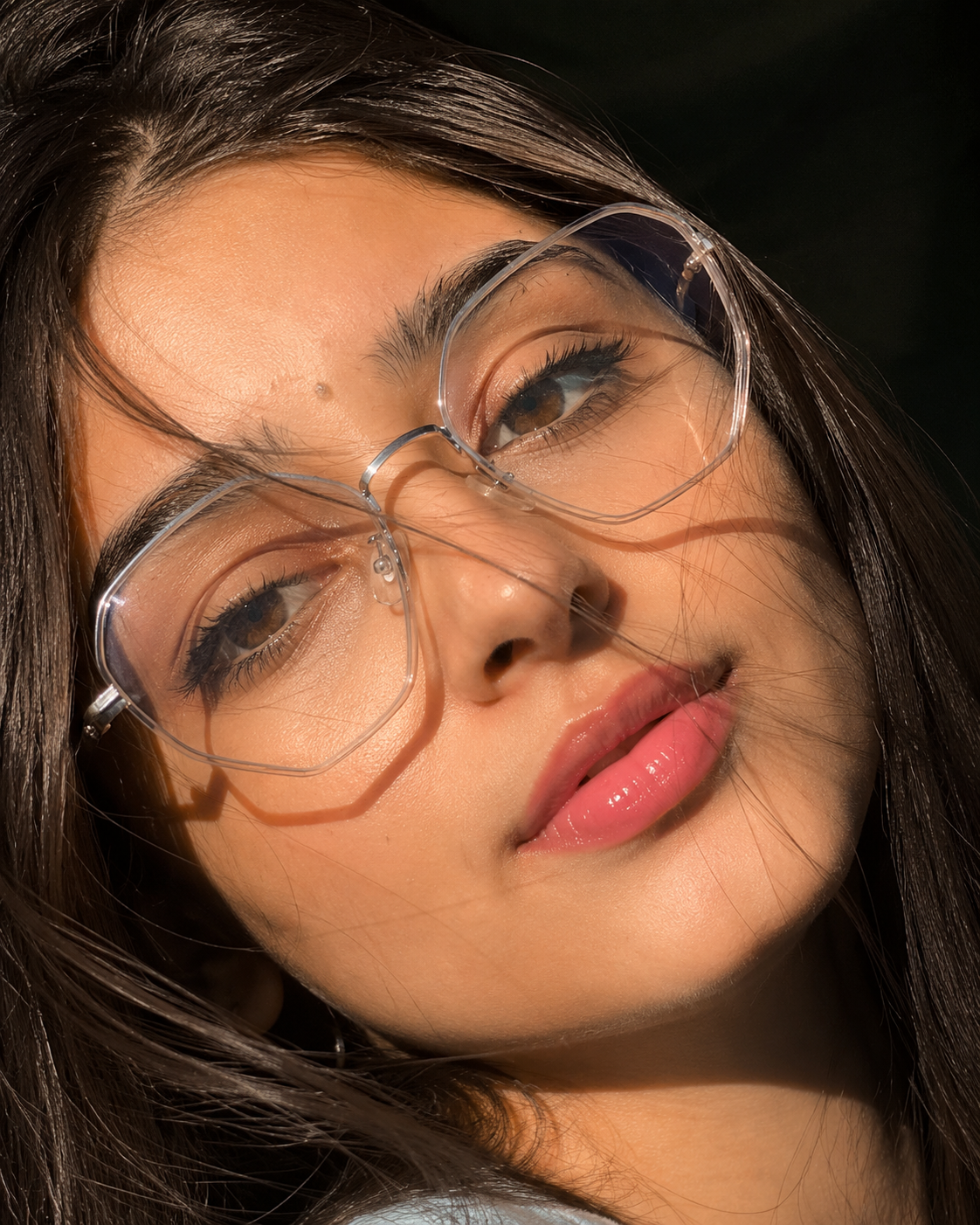
Use the uploaded reference image as the identity reference. Preserve the face, eye shape, skin tone, and facial features 100% exactly. Ultra-realistic extreme close-up beauty portrait of a young woman in harsh midday sunlight, head tilted sideways and slightly back, direct gaze at camera, large transparent geometric glasses, long dark-brown hair flowing across the face creating natural shadow patterns, glossy pink lips, flawless realistic skin texture, defined lashes, natural brows, dramatic sunlight highlights, dark blurred background, DSLR 85mm lens, shallow depth of field, sharp focus, photorealistic, HDR, luxury. Do not alter age, ethnicity, or bone structure. No beautification or identity drift.
The two extra sentences at the start and end do the heavy lifting here. “Preserve the face, eye shape, skin tone, and facial features 100% exactly” anchors the model to your actual bone structure, while “no beautification or identity drift” stops it from quietly smoothing your skin or reshaping your jaw the way many AI tools default to.
Moody Golden Light Signature Portrait Prompt
This variant swaps harsh daylight for warm, moody low-key lighting, styled for a male subject with a custom handwritten signature overlay — perfect for personal branding posts. It’s built on the same identity-lock structure as Prompt 2, just restyled with golden-hour warmth instead of midday glare.
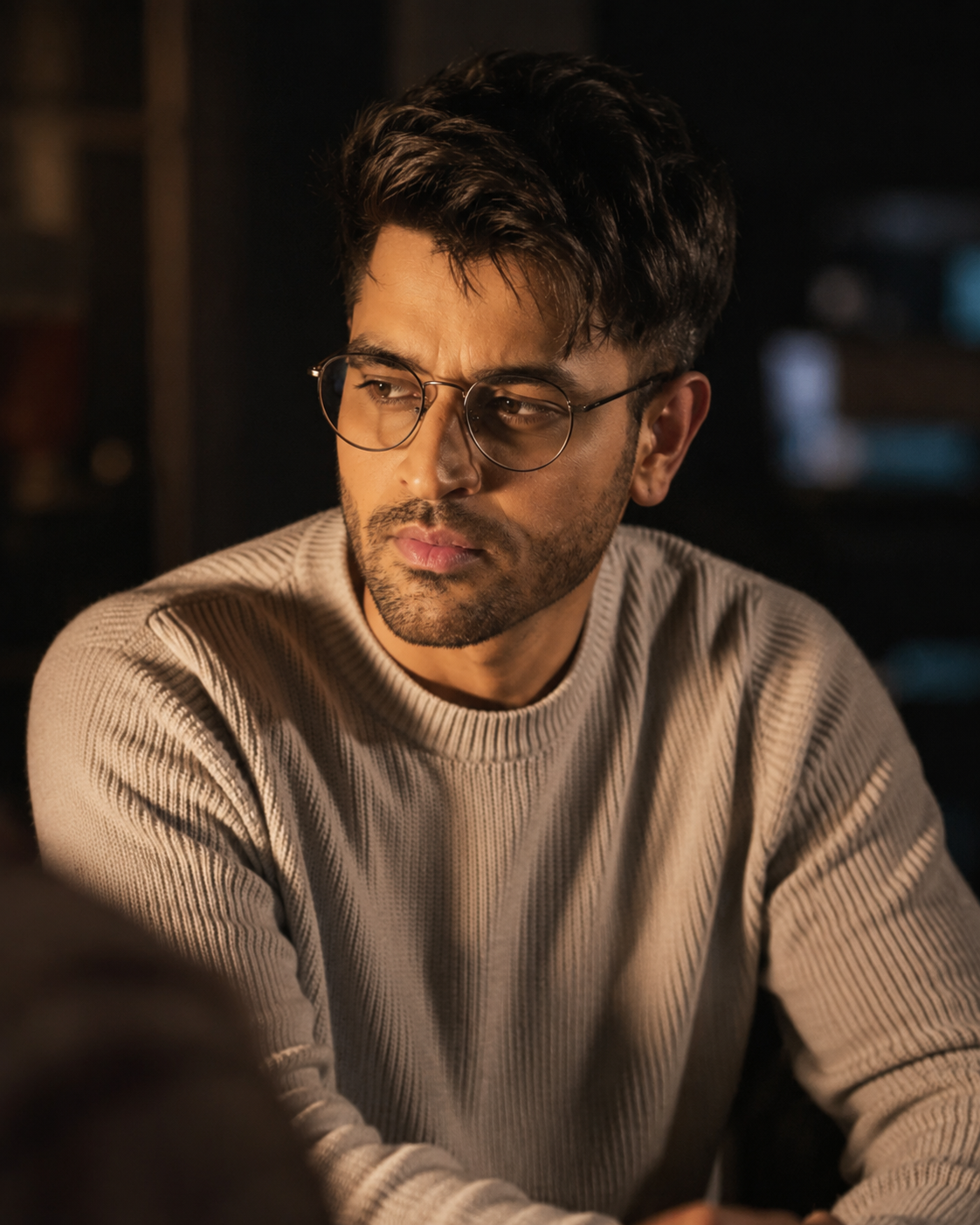
Use the uploaded reference image as the identity reference. Preserve the face 100% exactly. Create a handsome young man with dark brown hair, captured in a moody, low-light setting.
Swap “Virat” for your own name (or brand handle) before pasting the prompt in. Keep the signature short — three to eight characters renders far more cleanly than a full name in most AI image tools.
How to Use the Harsh Sunlight Glasses Portrait AI Photo Editing Prompt in ChatGPT
Getting this ChatGPT photo editing prompt to work well takes about a minute once you know the order of steps. Here’s the process:
- Open a new chat in ChatGPT and make sure you’re on a plan that supports image generation.
- Upload your reference photo first, before typing anything else. This gives the model your face as context before it reads the styling instructions.
- Paste one of the three prompts above directly under the uploaded image.
- Send the message and wait for the render. If the lighting looks too soft, reply with a short follow-up like “make the sunlight more direct and increase the shadow contrast.”
- If the face drifts too far from your reference, resend Prompt 2 or Prompt 3, since both include the strict identity-lock language ChatGPT responds well to.
This ChatGPT photo editing prompt tends to perform best on the first try when your uploaded photo is well-lit and shows your whole face without sunglasses or heavy makeup already applied.
How to Use the Harsh Sunlight Glasses Portrait AI Photo Editing Prompt in Google Gemini
Google Gemini handles this Google Gemini portrait prompt slightly differently, since it tends to weigh the text description a bit more heavily relative to the reference photo. Here’s how to set it up:
- Open Gemini and start a new conversation with image generation enabled.
- Attach your source photo, then immediately follow it with your chosen prompt from above — Gemini reads attachments and text as a single combined instruction.
- Generate the image, and review how closely the lighting and glasses match the prompt description.
- If Gemini softens the harsh sunlight effect, add a short reinforcing line such as “increase contrast, sharper highlights, more defined shadow under the hair.”
- For the identity-lock versions (Prompt 2 and Prompt 3), keep the “do not alter age, ethnicity, or bone structure” line intact — removing it is the most common reason Gemini outputs start to look like a different person.
Both ChatGPT and Gemini can produce nearly identical results from the same prompt text, but small differences in how each model interprets lighting language mean it’s worth generating two or three variations before picking your favorite.
Common Mistakes to Avoid
Even with a strong prompt, a handful of habits can quietly ruin the final result:
- Uploading a blurry or low-resolution photo. The AI can only preserve detail that already exists in your source image.
- Skipping the identity-lock language. Without it, most models will subtly reshape your face toward a generic “AI-beautiful” default.
- Overloading the prompt with too many styling requests at once. Stick close to the tested wording above and adjust only one or two details per regeneration.
- Ignoring the background instructions. If you don’t specify “dark blurred background,” some models will invent a busy scene that competes with the portrait.
- Forgetting to specify the lens. Leaving out “DSLR 85mm lens, shallow depth of field” often produces a flatter, more phone-camera-like result.
Customizing the Prompt for Your Own Style
Once you’ve generated a version of the Harsh Sunlight Glasses Portrait AI photo editing prompt that you like, it’s easy to adjust individual details without rebuilding the whole prompt from scratch. A few reliable swaps:
| Want to change | Swap this phrase |
|---|---|
| Hair color | Replace “long dark-brown hair” with your preferred color and length |
| Glasses style | Replace “large transparent geometric glasses” with round, cat-eye, or aviator |
| Lighting mood | Swap “harsh midday sunlight” for “golden hour backlight” or “overcast diffused light” |
| Lip color | Replace “glossy pink lips” with matte red, nude, or bare |
| Background | Swap “dark blurred background” for “sunlit brick wall” or “ocean horizon blur” |
Because the underlying structure of the Harsh Sunlight Glasses Portrait AI photo editing prompt stays the same, you can mix and match these swaps freely while keeping the overall editorial, high-contrast feel intact.
Why the AI Sunlight Close-Up Portrait Trend Is Everywhere Right Now
The wider AI sunlight close-up portrait trend took off alongside the rise of accessible AI image editors that can realistically simulate lighting conditions instead of just applying a filter on top of a photo. Where older photo apps could only brighten or darken an existing image, current-generation tools can actually reconstruct how light would fall across a face from a described direction — which is why prompt wording about light source, angle, and intensity matters so much.
Fashion and beauty accounts picked up on this quickly, since a well-lit AI portrait can now stand in for an actual studio shoot at a fraction of the cost. That’s also why prompts like this one keep circulating: once a specific combination of lighting, framing, and styling proves it consistently gets attention, creators reuse and adapt it rather than starting from a blank prompt every time.
Frequently Asked Questions
- Can I use this Harsh Sunlight Glasses Portrait AI photo editing prompt in ChatGPT?
- Yes. ChatGPT’s image generation lets you upload a reference photo and build sun-drenched close-up portraits from a detailed text prompt like the ones above.
- Does Google Gemini support this prompt?
- Yes. Google Gemini can produce a similar high-contrast look as long as you provide a clear reference photo along with the full descriptive prompt.
- Will my face stay the same?
- If the prompt includes face-preservation lines, most current AI tools hold your real features steady and only restyle the lighting and composition. Prompt 2 and Prompt 3 add the strictest lock.
- Can this style work for men as well as women?
- Yes. Prompt 3 is built specifically for a male subject with moody golden lighting and a custom signature overlay, showing how easily the format adapts.
- Why does harsh midday light work better than soft studio light here?
- Strong directional sunlight creates natural contrast and texture that soft light flattens out, giving the portrait a bolder, more editorial feel straight out of the camera.
- Do I need a professional camera to get a good result?
- No. The prompt itself tells the AI to imitate a DSLR 85mm lens, so a clear smartphone photo taken in daylight is usually enough to get a convincing result.
- How many times can I regenerate before the identity drifts too far?
- There’s no fixed limit, but if you notice the face changing after two or three regenerations, start a fresh chat and re-upload your original reference photo rather than continuing to edit the AI’s own output.
- Is this the same as a photo filter?
- Not quite. A filter adjusts colors and tones on your existing photo, while this prompt asks the AI to regenerate the lighting, shadows, and composition from scratch based on your reference image.
Final Thoughts
Great portraits don’t always need perfect light — sometimes the harshest sun or the moodiest shadow tells the better story. The Harsh Sunlight Glasses Portrait AI photo editing prompt proves that contrast, texture, and a confident gaze can carry an entire image, whether you’re generating it in ChatGPT or Google Gemini.
Whether you want the bright, sun-drenched version, the identity-locked version, or the warm, moody signature style, all three prompts above are ready to test today. For more ready-to-use prompts, browse the rest of our AI photo editing prompt collection, or read our companion guide on the latest AI photo trends for more viral formats worth trying this month.