
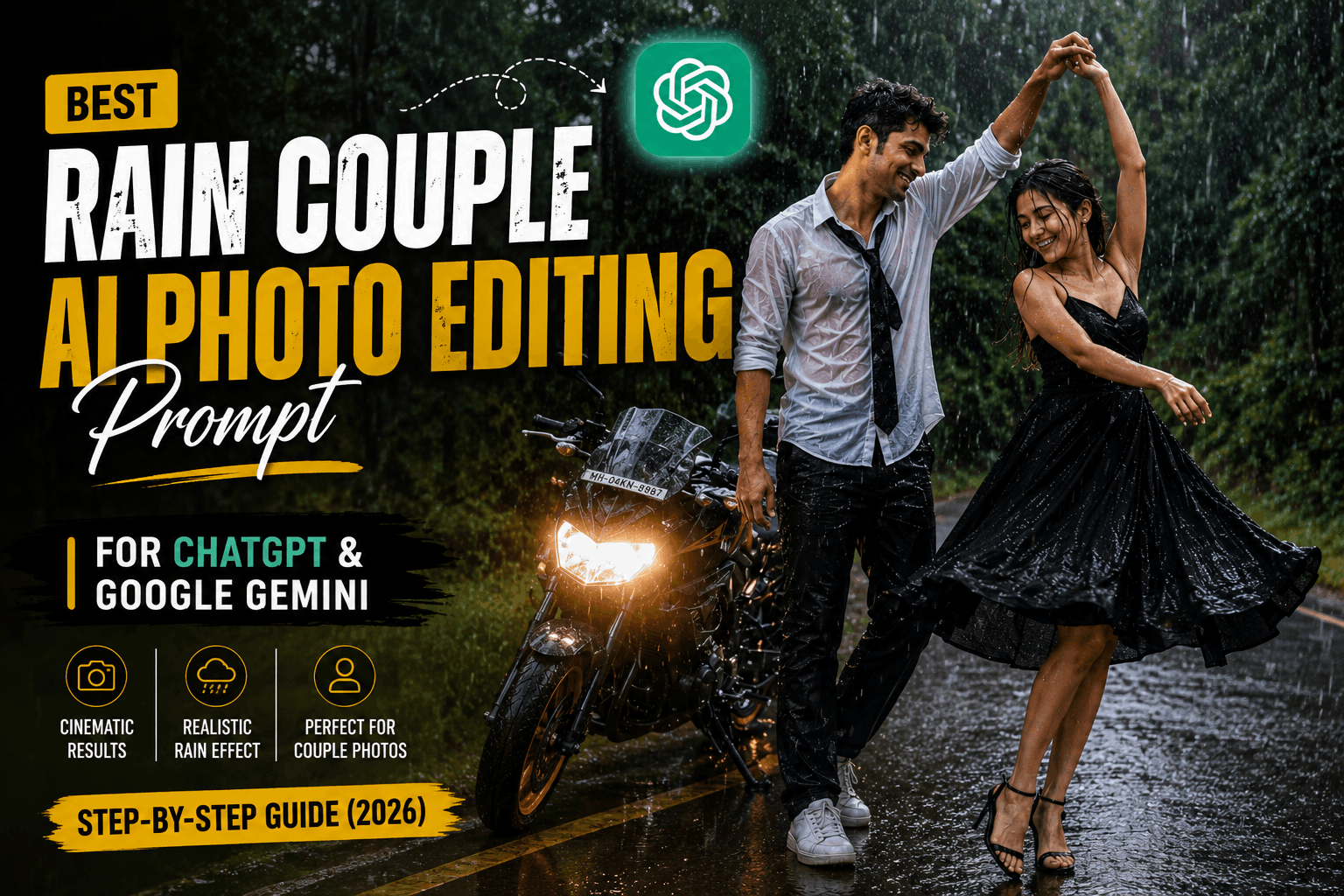
The Rain Couple AI photo editing prompt is the exact text you need to turn an ordinary couple photo into a cinematic, rain-soaked scene straight out of a movie still — no rainy weather, no outdoor shoot, and no editing skills required. Rain has a unique way of making ordinary moments feel unforgettable. A simple walk on a quiet road, a shared smile, or a playful dance in the rain can turn into a beautiful memory. That’s one of the reasons rain-themed photography has become so popular in recent years.
With AI photo editing, recreating that cinematic mood no longer means waiting for the right weather or booking an outdoor shoot. The Rain Couple AI photo editing prompt turns an ordinary photo into a realistic rain scene with dramatic lighting, lush greenery, wet-road reflections, and natural rainfall while keeping everything believable.
Whether it’s for Instagram, Pinterest, YouTube, or a personal keepsake, this prompt delivers a polished, professional-looking result in minutes. Below you’ll find two ready-to-copy versions of the Rain Couple AI photo editing prompt, plus step-by-step instructions for using it in both ChatGPT and Google Gemini.
In this guide
- Why rain photography is so popular
- What is the Rain Couple AI photo editing prompt?
- Where this style works best
- Tips before you generate
- Prompt 1: Rain Couple Dance (forest road)
- Prompt 2: Vintage Bollywood Street Lamp Rain
- How to use this prompt in ChatGPT
- How to use this prompt in Google Gemini
- Common mistakes to avoid
- Customizing the prompt for your own style
- Why cinematic rain photography is trending right now
- Frequently asked questions
Why Rain Photography Is So Popular
Rain photography has always carried a timeless charm. Falling rain, glowing reflections, and soft ambient light create a mood that’s hard to match in ordinary daylight shots, adding movement, emotion, and depth to every frame. That’s exactly why rain-inspired AI edits have become a favorite for creators chasing something more cinematic than a standard portrait, and it’s the main reason the Rain Couple AI photo editing prompt keeps getting reshared.
Professional photographers have leaned on this same effect for decades — wet surfaces and falling rain act like natural reflectors and diffusers, softening light while adding sparkle and depth that a dry, sunny frame simply can’t produce. This prompt bakes that exact lighting behavior directly into the instructions you hand the AI, so you get the look without needing an actual rainy day.
What Is the Rain Couple AI Photo Editing Prompt?
In simple terms, it’s a detailed block of text you paste into an AI image tool alongside a couple’s photo. The prompt tells the model how the rain should fall, how light should reflect off wet pavement, what the couple should be wearing, and what camera and lens characteristics to imitate. Because AI image generators respond almost entirely to the words you feed them, a vague request like “make this romantic” will never produce the same believable result as a precise prompt that specifies lighting, wardrobe, and mood.
That’s the whole purpose of this guide — to hand you a version of the Rain Couple AI photo editing prompt that has already been tested and refined, so you don’t have to guess at the wording yourself.
Where This Style Works Best
This look fits Instagram posts, couple portraits, Facebook cover photos, Pinterest boards, YouTube thumbnails, romantic wallpapers, and profile pictures. A well-built rain scene naturally draws attention without feeling over-edited, which is exactly why the Rain Couple AI photo editing prompt performs so well as cover art rather than a plain couple selfie.
Tips Before You Generate the Image
- Use a high-resolution reference photo with good lighting — the AI needs clear detail to preserve both faces accurately.
- Avoid heavily filtered or low-quality originals; flat, blurry photos give the model less to work with when reconstructing rain and reflections.
- Use the full prompt without trimming key identity or lighting details, since shortened prompts often drop the rain intensity or the reflections entirely.
- Include clear photography instructions for rain, reflections, and camera settings — vague wording produces a flatter, less cinematic result.
- Add strict face-preservation lines to protect your likeness in both scenes, especially if you’re generating a couple portrait where two faces need to stay accurate at once.
- Upload a close, well-lit photo of each person if possible. Wide, dimly lit group shots make it harder for the AI to lock onto individual facial features.
Rain Couple AI Photo Editing Prompt (Forest Road Dance)
Pair this prompt with your uploaded photo for a joyful, cinematic rain-dance portrait on a forest road with a parked sports motorcycle. This is the more playful, energetic version of the Rain Couple AI photo editing prompt, built around movement and laughter rather than a quiet, still moment.
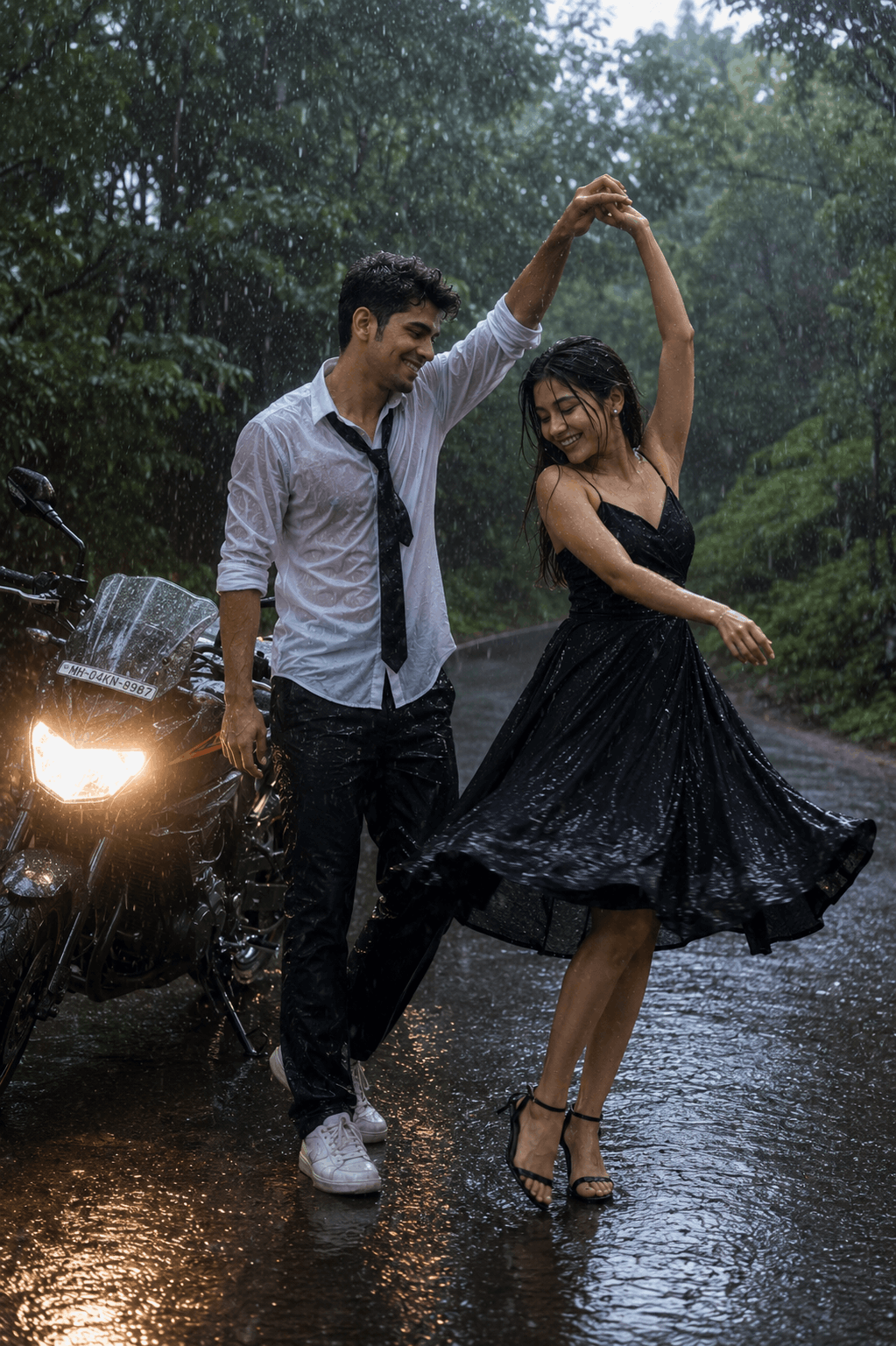
STRICT FACE PRESERVATION / IDENTITY LOCK. Use the uploaded reference image as the only facial identity. Preserve the face 100% exactly as in the reference photo. A cinematic, full-body portrait of a joyful young couple dancing playfully in a heavy downpour on a wet asphalt road winding through a lush green forest.
Notice how much of the prompt is dedicated to identity rules before the scene is even described. That’s intentional — when two faces need to stay recognizable in the same frame, locking down jawline, eye shape, and skin tone up front stops the AI from quietly blending both people toward a generic “AI couple” look.
Vintage Bollywood Street Lamp Rain Prompt
This variant recreates a nostalgic 90s Bollywood film still, with a couple sharing a quiet moment under a glowing street lamp in the rain. Where Prompt 1 is playful and full of motion, this version of the Rain Couple AI photo editing prompt is slower, warmer, and built around a single still, emotional moment.
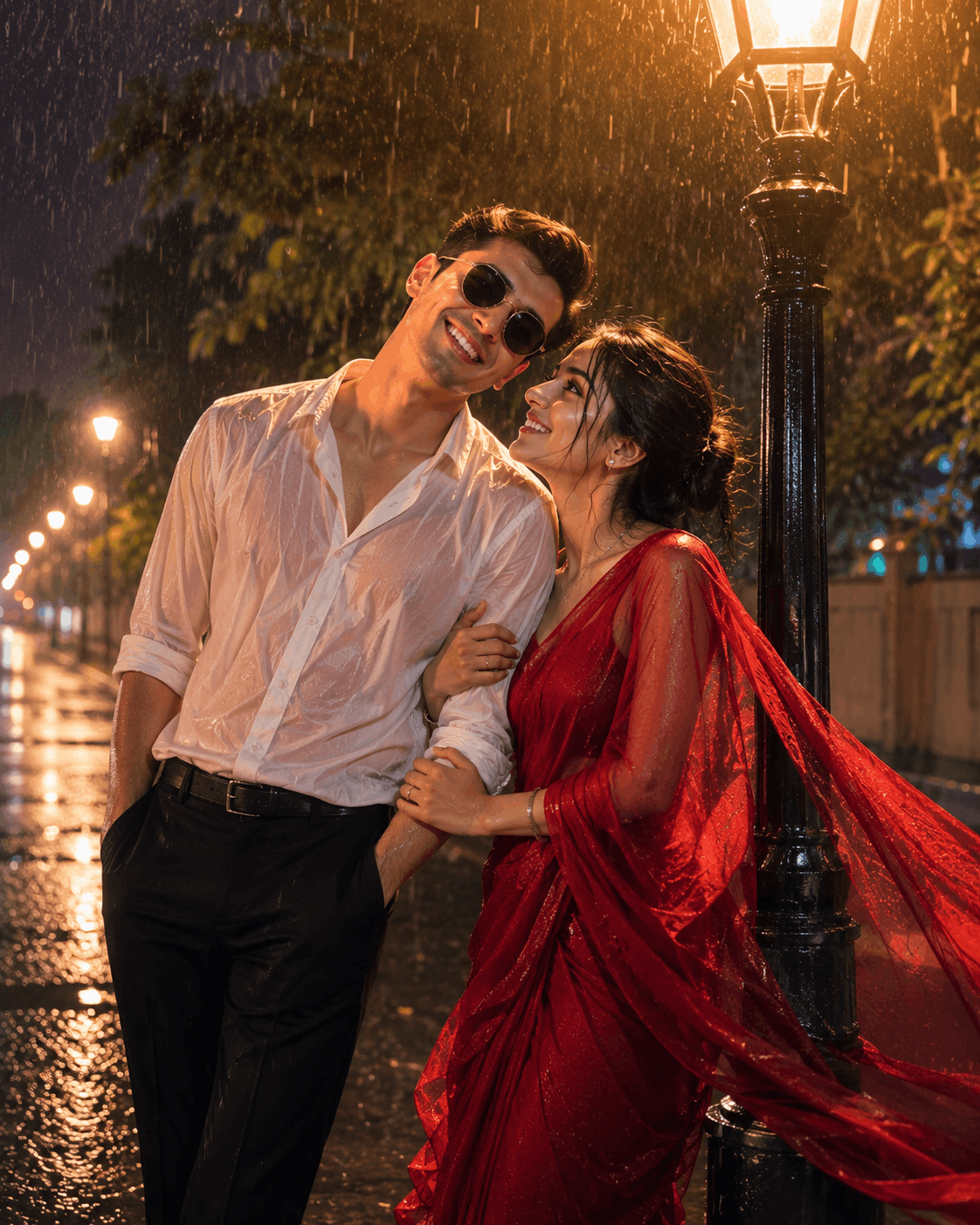
STRICT FACE PRESERVATION / IDENTITY LOCK. Use the uploaded reference image as the only facial identity. Create a retro, vintage-inspired photograph that looks like a cinematic 1990s Bollywood movie still, with a romantic couple beneath a glowing street lamp on a rainy night.
The “Kodak Portra film look” and “35mm film grain” phrases are doing a lot of work here — they push the AI away from a crisp, modern digital finish and toward the slightly warm, slightly imperfect texture people associate with actual film-era Bollywood photography.
How to Use the Rain Couple AI Photo Editing Prompt in ChatGPT
Getting this ChatGPT rain photo prompt to work well takes about a minute once you know the order of steps. Here’s the process:
- Open a new chat in ChatGPT and make sure you’re on a plan that supports image generation.
- Upload your reference photo (or photos, if you’re combining two separate images of each partner) before typing anything else.
- Paste one of the two prompts above directly under the uploaded image.
- Send the message and wait for the render. If the rain looks too light, reply with a short follow-up like “make the rainfall heavier and increase the reflections on the road.”
- If either face drifts too far from the reference, resend the prompt and remind ChatGPT to keep the strict identity-lock rules intact — both prompts above already include this language by default.
This ChatGPT rain photo prompt tends to perform best on the first try when your uploaded photos are well-lit, front-facing, and free of sunglasses or heavy filters.
How to Use the Rain Couple AI Photo Editing Prompt in Google Gemini
Google Gemini handles this Google Gemini couple prompt slightly differently, since it tends to weigh the text description a bit more heavily relative to the reference photo. Here’s how to set it up:
- Open Gemini and start a new conversation with image generation enabled.
- Attach your reference photo, then immediately follow it with your chosen prompt from above — Gemini reads attachments and text as a single combined instruction.
- Generate the image, and review how closely the rain intensity, reflections, and wardrobe match the prompt description.
- If Gemini underplays the rain effect, add a short reinforcing line such as “increase rain intensity, add more visible reflections on the wet road.”
- Keep the full “Mandatory Identity Rules” section intact when regenerating — removing it is the most common reason Gemini outputs start to look like different people than your reference photos.
Both ChatGPT and Gemini can produce nearly identical results from the same prompt text, but small differences in how each model interprets lighting and fabric texture mean it’s worth generating two or three variations before picking your favorite.
Common Mistakes to Avoid
Even with a strong prompt, a handful of habits can quietly ruin the final result:
- Uploading mismatched reference photos. If one photo is bright and sharp while the other is dim or blurry, the AI often renders one face more convincingly than the other.
- Skipping the identity-lock section. Without it, most models will subtly reshape one or both faces toward a generic “AI-couple” default.
- Overloading the prompt with extra styling requests. Stick close to the tested wording above and adjust only one or two details per regeneration.
- Ignoring the wardrobe instructions. If you don’t specify exact clothing, the AI may invent an outfit that clashes with the mood you’re going for.
- Forgetting to specify the lens and film look. Leaving out “DSLR 85mm lens” or “Kodak Portra film look” often produces a flatter, more phone-camera-like result instead of the cinematic finish.
Customizing the Prompt for Your Own Style
Once you’ve generated a version of the Rain Couple AI photo editing prompt that you like, it’s easy to adjust individual details without rebuilding the whole prompt from scratch. A few reliable swaps:
| Want to change | Swap this phrase |
|---|---|
| Location | Replace “wet asphalt road winding through a lush green forest” with a city street, beach, or rooftop |
| Outfit | Swap the described shirt, dress, or saree for your own preferred colors and fabric |
| Mood | Replace “joyful young couple dancing playfully” with “quiet couple sharing an umbrella” for a calmer tone |
| Era / style | Swap “90s Bollywood movie still” for “modern editorial fashion shoot” or “1970s film photography” |
| Lighting source | Replace the street lamp or motorcycle headlights with neon signage, car headlights, or a lit doorway |
Because the underlying identity-lock structure of the Rain Couple AI photo editing prompt stays the same, you can mix and match these swaps freely while keeping both faces accurate and the cinematic rain mood intact.
Why Cinematic Rain Photography Is Trending Right Now
The wider rain photography trend took off alongside the rise of AI image editors that can realistically simulate weather and reflections instead of just applying a filter on top of an existing photo. Older photo apps could only add a generic “rain overlay” texture on top of a dry photo, but current-generation tools can actually reconstruct how falling rain, wet pavement, and glowing light sources would interact with a real scene — which is why prompt wording about rain intensity, reflections, and light source matters so much.
Couples and content creators picked up on this quickly, since a well-built AI rain scene can now stand in for an actual outdoor shoot at a fraction of the cost and without waiting for the weather to cooperate. That’s also why prompts like this one keep circulating: once a specific combination of lighting, wardrobe, and mood proves it consistently gets attention, creators reuse and adapt it rather than starting from a blank prompt every time.
Frequently Asked Questions
- Are Rain Couple AI photo editing prompts free to use?
- Yes. Most AI photo editing prompts are free, though some platforms offer premium plans for higher-resolution outputs and extra editing features.
- Can I use this prompt in ChatGPT?
- Yes. ChatGPT’s image generation lets you upload a photo and apply detailed prompts to create realistic cinematic rain scenes.
- Does Google Gemini support this prompt?
- Yes. Google Gemini can also produce realistic rain-themed portraits when given a clear reference photo and the full prompt.
- Will the AI keep my face the same?
- If your prompt includes detailed face-preservation instructions, most AI tools will hold your real features steady while changing the scene around you.
- Is this prompt good for beginners?
- Completely. No editing experience is needed. Upload your photo, paste the prompt, and let the AI generate the final result.
- Can I use two separate photos for each partner instead of one couple photo?
- Yes, most AI tools accept multiple reference images in the same message. Upload both photos before pasting the prompt so the model has a clear identity reference for each person.
- Why does my result look too smooth or “AI-generated”?
- This usually happens when the identity-lock and film-grain instructions get trimmed from the prompt. Keep the full text, including the “no AI look” and film-texture lines, for a more natural, photographic finish.
- Do I need professional camera equipment to get a good result?
- No. The prompt itself tells the AI to imitate a DSLR 85mm lens and realistic film grain, so a clear smartphone photo taken in good lighting is usually enough to get a convincing result.
Final Thoughts
Rain photography has a timeless charm that never goes out of style. With the Rain Couple AI photo editing prompt, you can recreate that same cinematic feeling without waiting for rainy weather or arranging a professional shoot.
Whether you want the playful forest-road dance or the nostalgic Bollywood street-lamp scene, both prompts above are ready to test today. For more ready-to-use prompts, browse the rest of our AI photo editing prompt collection, or check out our guide to the latest viral AI photo trends for more cinematic formats worth trying this month.